Check Out New Features, Video Overview, and Free Sample Files
Claris has officially released FileMaker 2026, introducing new capabilities designed to help you work with AI, improve solution organization, and simplify everyday development tasks.
Highlights in FileMaker 2026 include:
- AI capabilities that make it easier to work with documents, external services, and modern data sources
- Enhancements to improve solution organization and make development projects easier to manage over time
- Tools designed to simplify common development tasks and improve productivity
- Updates for FileMaker Pro, FileMaker Server, FileMaker Go, and WebDirect that support a more consistent experience across the platform
To help you quickly understand what matters most, we’ve created a comprehensive FileMaker 2026 overview video highlighting the enhancements we believe will have the greatest impact on your FileMaker projects.
Whether you’re planning an upgrade, evaluating new capabilities, or looking for ideas for future enhancements, our FileMaker 2026 overview video provides a practical introduction to the release with working examples that demonstrate how the new features can be used in real-world FileMaker solutions.
FileMaker 2026 Sample Files
To help you explore the new features, we’ve created several free sample files available through Productive Computing University. These examples demonstrate practical ways to implement some of the new capabilities introduced in FileMaker 2026.
Custom Zoom Levels
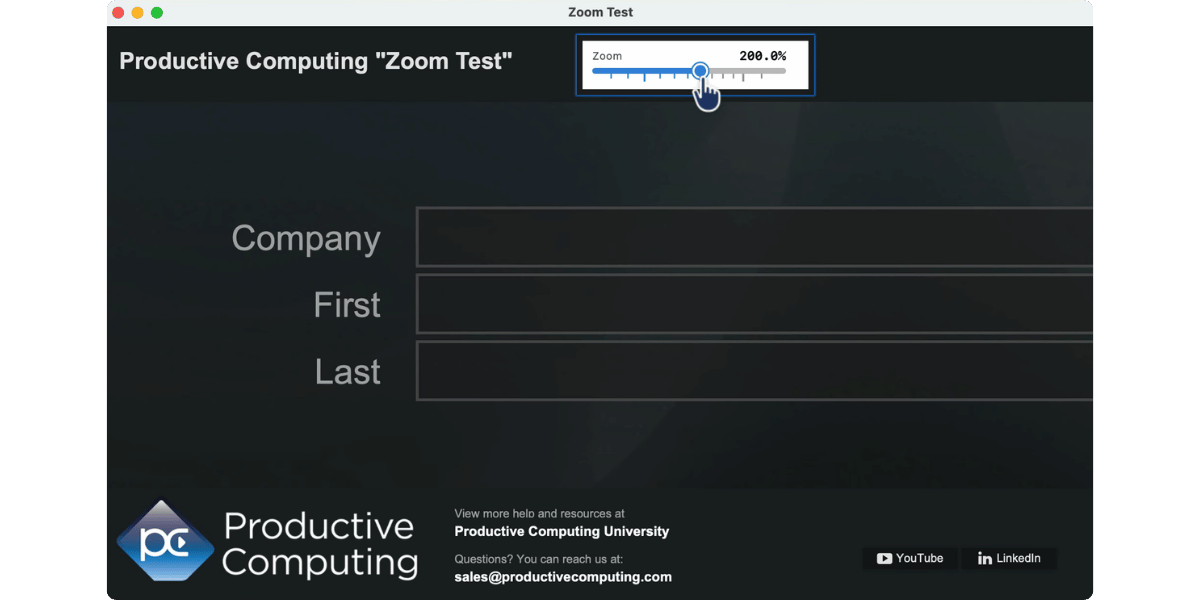
FileMaker 2026 expands the Set Zoom Level script step with a Custom option, giving you greater control over how users view your layouts.
Previously, developers were limited to FileMaker’s predefined zoom increments. With Custom Zoom Levels, you can specify an exact magnification percentage, including decimal values. This gives you more flexibility when designing a layout experience for different viewing preferences and screen sizes.
You can also put this feature directly in the hands of your users. For example, a slider on a FileMaker layout can let users adjust magnification themselves, making it easy to zoom in or out without leaving the screen they’re working on.
Want to see how it works? Watch our short demonstration to see Custom Zoom Levels in action and how a slider can be used to adjust magnification directly from a FileMaker layout.
If you want to experiment with the example in your own FileMaker solution, the demo file is available through PCU’s free FileMaker Features and Free Resources course.
Customizable Field Names
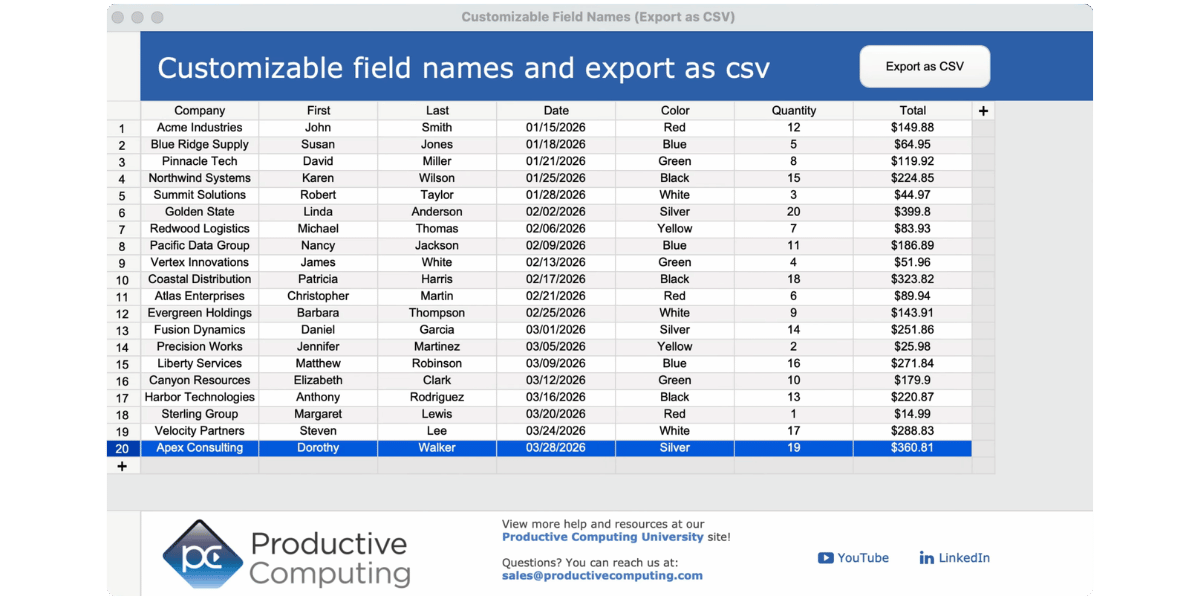
FileMaker 2026 allows developers to display user-friendly field names without changing underlying schema names. This enhancement can make table views, sort dialogs, and exports easier for users to understand while preserving existing development standards.
Available in the free course: FileMaker Features & Free Resources
Custom Dialog Size & Position
Custom dialogs can be sized and positioned more precisely, making it easier to create larger dialogs that improve readability and provide a better user experience. The sample file demonstrates how dialogs can automatically size themselves and appear centered on screen.
Available in the free course: FileMaker Features & Free Resources
Get Record IDs by Portal
This capability makes it easier to work with filtered related data by gathering record IDs directly from portal results. Our sample file demonstrates how developers can collect related record IDs and work more efficiently with subsets of related records.
Available in the free course: FileMaker Features & Free Resources
Google Gemini Video Analysis
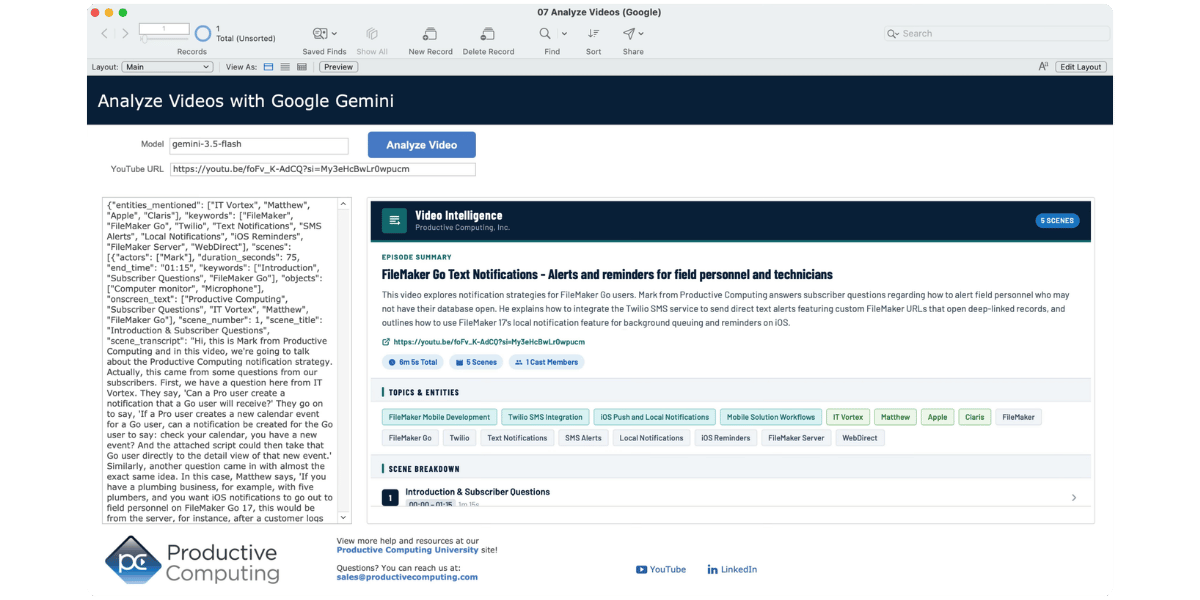
One of the new FileMaker 2026 sample files demonstrates how FileMaker can work directly with Google Gemini using the Generate Response from Model script step. In this example, Gemini analyzes a YouTube video and automatically creates summaries, identifies key topics, extracts transcripts, and captures information from both the audio and on-screen visuals.
This approach can help transform video content into searchable, structured information that can be stored and managed within FileMaker. Potential use cases include organizing social media content, cataloging training materials, researching media libraries, and making video resources easier to search and reference over time.
Note: This demo uses FileMaker 2026 and the Generate Response from Model script step to communicate directly with Google Gemini. Similar functionality can be implemented in earlier versions of FileMaker using the Insert from URL script step and a traditional API integration.
Available in the course: AI Essentials for FileMaker Developers
PDF Management Script Steps
FileMaker 2026 introduces significant enhancements for working with PDFs directly from scripts. New capabilities allow developers to create, open, append, print, and save PDFs using a more flexible document assembly approach.
These improvements make it easier to build solutions that generate reports, combine documents, automate PDF creation, and support more advanced document management processes without relying on external tools.
Available in the course: Claris FileMaker Pro Advanced 2
Persistent Data
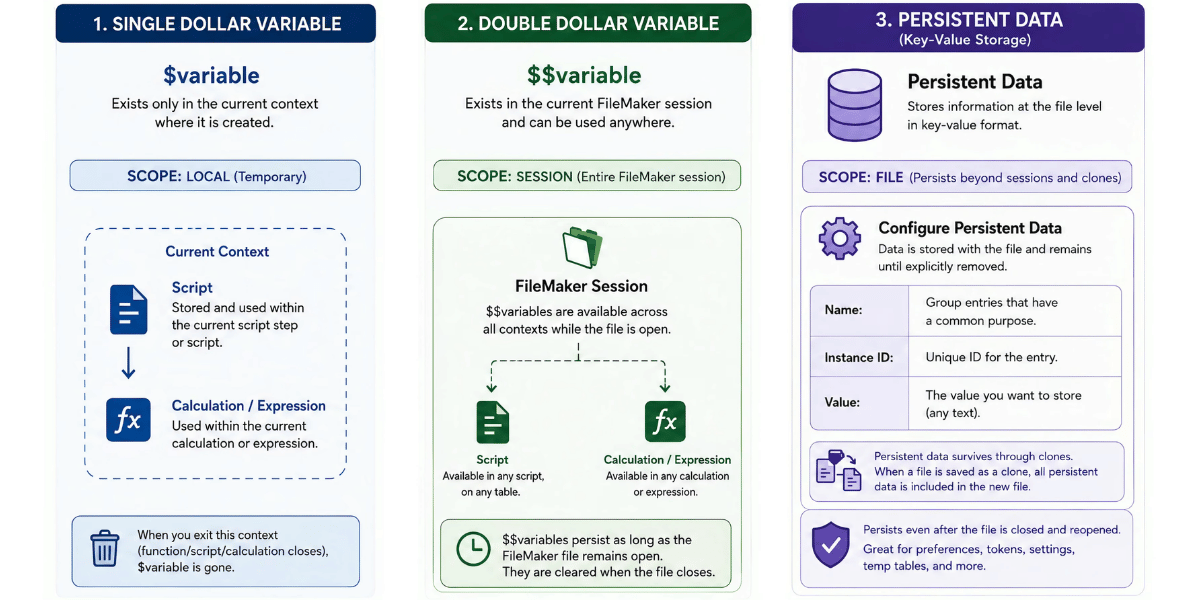
Persistent data is one of the most significant additions in FileMaker 2026. It provides new options for storing and managing information beyond the traditional database structure.
Our overview discusses how this capability can support more advanced development techniques.
Demo file from the FileMaker 2026 video is available in the course: Claris FileMaker Pro Advanced 2 and we also offer full lessons on how to use and set up persistent data in FileMaker in the course: Claris FileMaker Pro Advanced 1.
Explore FileMaker 2026
FileMaker 2026 introduces several changes that can help improve organization, simplify development tasks, and create new opportunities for AI-powered solutions.
Whether you’re planning an upgrade or exploring new capabilities, our overview video and free sample files provide a practical starting point for learning what’s new in FileMaker 2026.
Other products and services Productive Computing, Inc. offers:
- What can PCI do for you? – overview of our services
- Health Assessment – a comprehensive report of your FileMaker system
- Consulting and Development – services billed by the hour
- Maintenance and Support – services billed monthly
- Packaged Services – Security Audit, SSL or Server Installation
- Plug-ins – tools to integrate with QuickBooks, Outlook, Google, and more
- Solutions – free customizable and scalable CRM template
- Claris and FileMaker Licensing – discounts on new seats and renewals
- FileMaker and QuickBooks Hosting – host your files in the cloud
- Productive Computing University – online beginner to advanced training courses
- Certification Programs – expert-led training, hands-on development, and personalized evaluations