If your team collects field notes, service updates, support comments, or quick entries from mobile devices, you know how inconsistent and unstructured text can be. Misspellings, shorthand, scattered thoughts, and long explanations can make important information hard to understand. With the AI capabilities available in FileMaker 2025, you now can clean up messy notes, generate clear summaries, and translate text into other languages directly inside your solution.
Our AI text manipulation tool turns everyday entries into organized, professional content that your team can actually use. All it takes is a single script, a few prompts, and the built-in FileMaker AI script steps. Once configured, these tools can transform the way you manage written information in your system.
What You Can Do with AI Text Manipulation in FileMaker
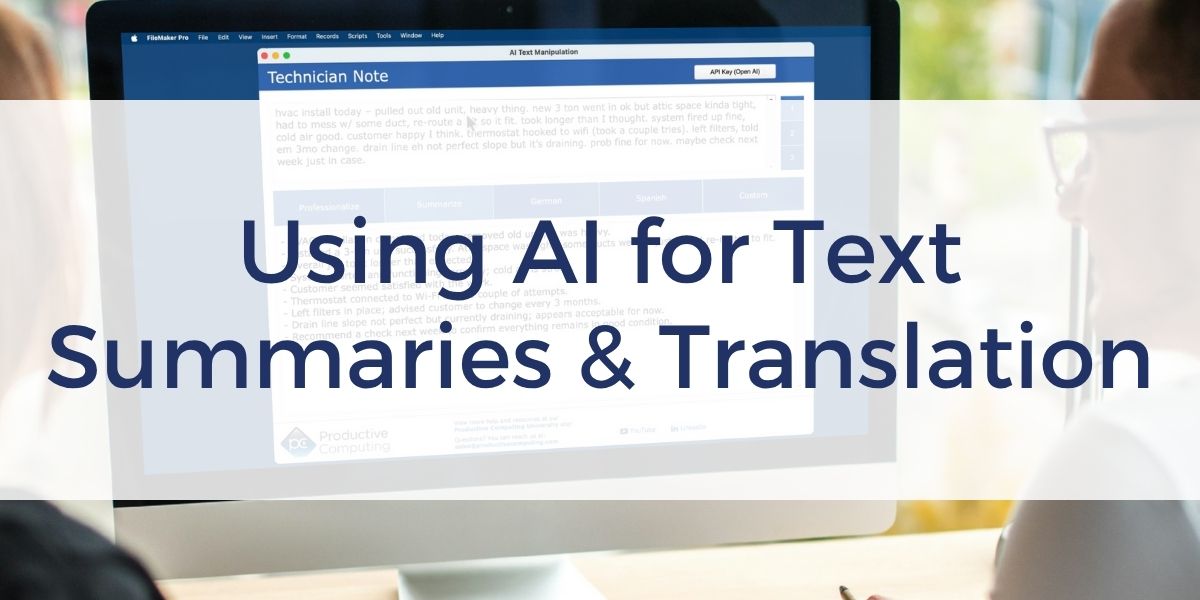
Text Summarization
AI can condense long or disorganized notes into short, helpful summaries. This is ideal for technician logs, support tickets, project updates, or any place where information is captured quickly and becomes difficult to review later. Instead of reading through several paragraphs, users get a concise overview that highlights the key points.
Professionalize Text
Field notes are often typed quickly on mobile devices and may contain spelling issues, inconsistent grammar, or incomplete thoughts. AI can rewrite these entries in clear, polished language that is suitable for customers, managers, or reporting. The original intent is preserved, but the message becomes easier to read and understand.
Translate to Other Languages
With a single request, FileMaker can translate text into German, Spanish, or another language of your choice. The system can automatically select a stronger model for translation accuracy when needed. This helps teams communicate more clearly with multilingual customers or international partners.
Custom AI Instructions
If you need something more specific, you can provide your own instruction. You might ask AI to shorten the content, rewrite it in a friendly tone, remove unnecessary details, or create a one-sentence summary. FileMaker passes your instruction directly to the model so you maintain full control over the output.
One Script for All Actions
All text manipulation functions can run from the same script. The script reads a parameter that tells FileMaker whether the user wants summarization, translation, professionalization, or a custom request. This approach makes your solution easy to maintain and allows you to expand your text tools as your needs grow. The script also handles AI account configuration, model selection, streaming behavior, and response parameters.
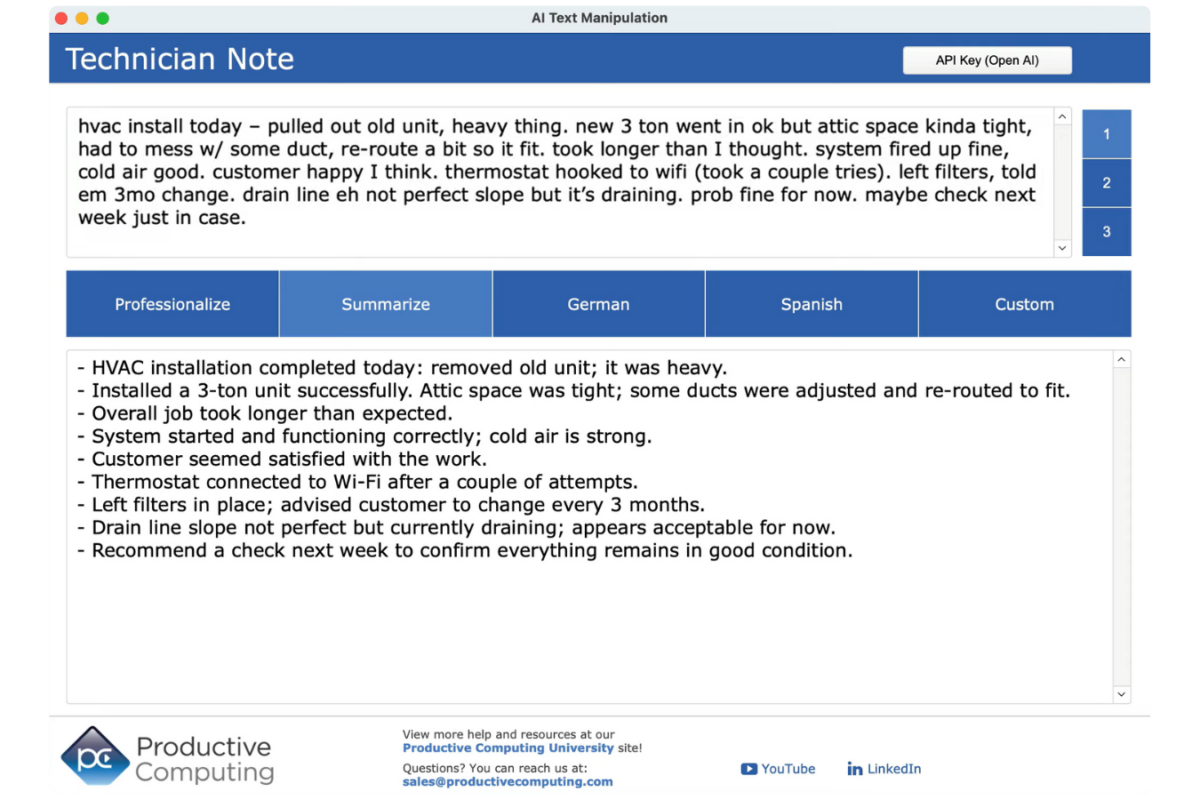
Try It Yourself
You can experiment with these features using the free unlocked demo file included in the FileMaker Features and Free Resources course at Productive Computing University. Enter your OpenAI API key, choose your text action, and watch the result appear instantly inside FileMaker.
AI text manipulation is one of the simplest and most practical enhancements you can add to your workflow. It improves clarity, reduces errors, and helps your team work more efficiently with the information they already collect.
FAQs About AI Text Manipulation in FileMaker
What version of FileMaker do I need to use AI text manipulation?
AI text manipulation features require FileMaker 2025 or later. These versions include the built-in script steps needed to send prompts to an AI model and return the results directly into your FileMaker fields.
Do I need an OpenAI account to use these features?
Yes. To run any of the AI text manipulation examples, you need an OpenAI API key. The demo file from Productive Computing University includes a field where you can paste your key so you can test summarization, translation, and text cleanup immediately.
Does FileMaker handle the entire AI process automatically?
Once you configure your AI account and model, FileMaker handles the request, sends the prompt, receives the response, and streams the result back into a field. You can customize parameters like verbosity, reasoning effort, or model selection depending on your needs.
Can this help with mobile or field-collected notes?
Yes. This feature is especially helpful for mobile workflows where notes are entered quickly or inconsistently. AI can clean up typos, improve clarity, and translate content so your team can work more efficiently with the information they already collect.
Other products and services Productive Computing, Inc. offers:
- What can PCI do for you? – overview of our services
- Health Assessment – a comprehensive report of your FileMaker system
- Consulting and Development – services billed by the hour
- Maintenance and Support – services billed monthly
- Packaged Services – Security Audit, SSL or Server Installation
- Plug-ins – tools to integrate with QuickBooks, Outlook, Google, and more
- Solutions – free customizable and scalable CRM template
- Claris and FileMaker Licensing – discounts on new seats and renewals
- FileMaker and QuickBooks Hosting – host your files in the cloud
- Productive Computing University – online beginner to advanced training courses
- Certification Programs – expert-led training, hands-on development, and personalized evaluations