

iCal Manipulator plug-in for FileMaker
Integrate your Apple Calendar with your FileMaker Pro calendar and easily exchange data between the two applications.


iCal Manipulator
Version 3.0.1.1
Platform
Mac
Pricing Options
Please select your desired license option:
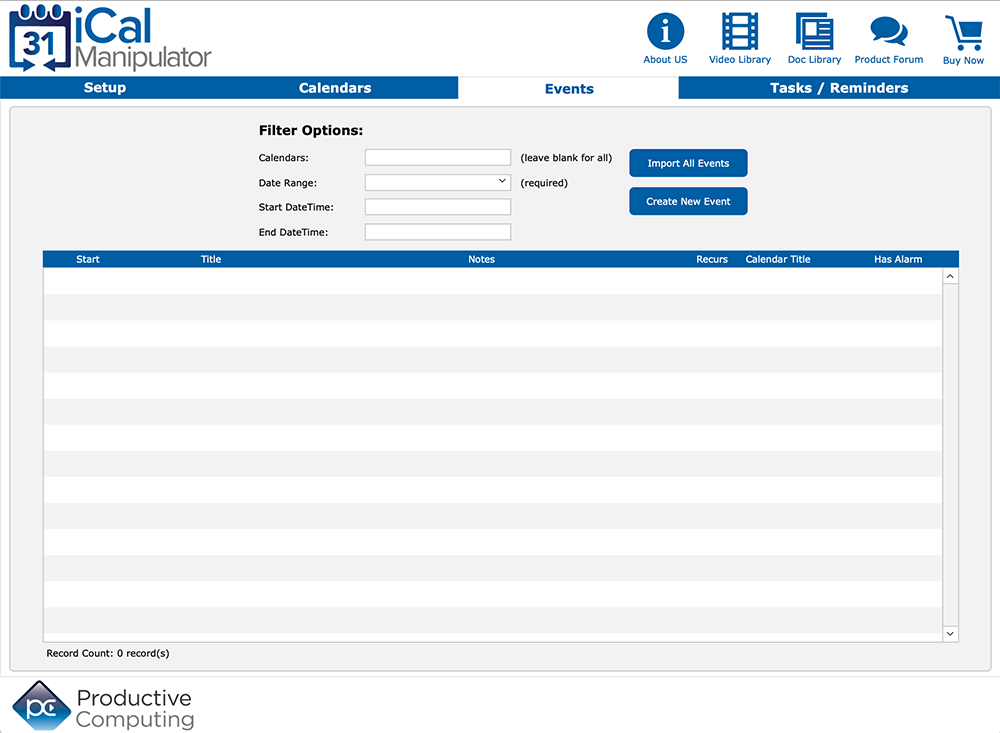
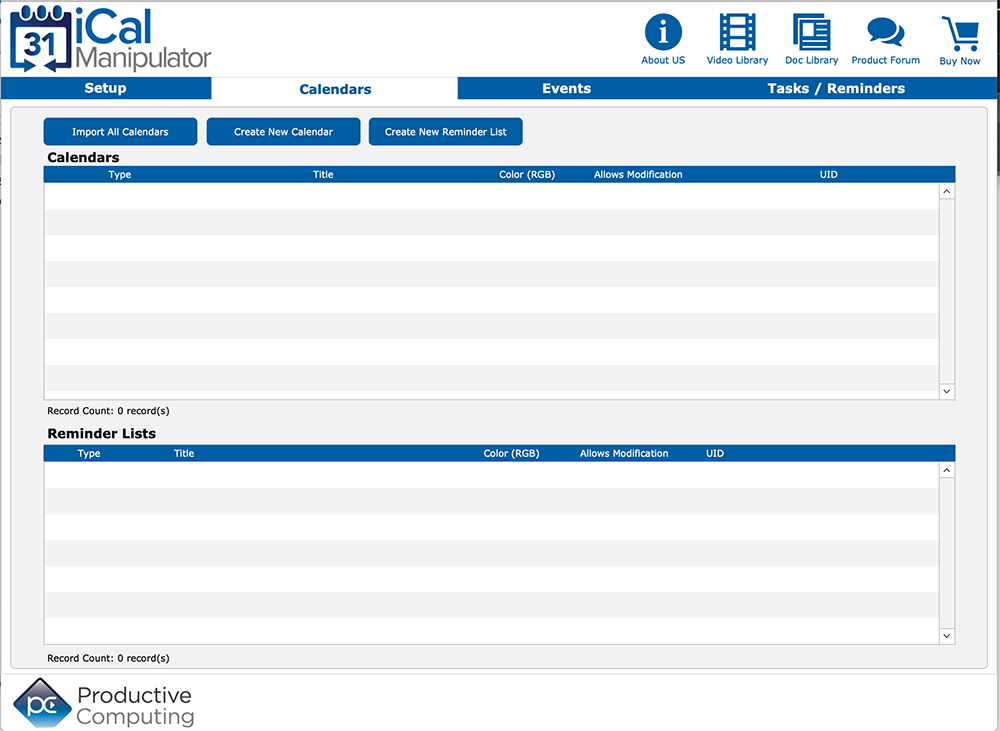
You can eliminate double entry when you directly connect FileMaker with Apple Calendar. Easily manipulate and share calendars, events and reminder information between your FileMaker solution and your native Apple Calendar application.
In the hands of a capable developer, the functions available in this plug-in allow you to build a simple or robust integration allowing to you push or pull data between FileMaker and Apple Calendar.
Key Features
Download our Plug-in Demo
Try our fully functional demo file for up to 30 days. Please note the demo will expire 2 hours from opening your FileMaker application. To reset the demo, close and reopen your FileMaker application.
Need help getting started?
Visit our Help Center for a full list of FAQs and product documentation, submit a question on our PCI FM Forums page, or view videos on our YouTube channel.
System Requirements
Application:
FileMaker Pro 2024 - 2025 for Mac
Platform:
macOS 14 - 26
The plug-in may work with earlier versions of FileMaker or operating systems, however, these are no longer supported.
Version History
- Version: 3.0.1.1 | Release Date: 11/17/2025 | Platform: Mac
- The plug-in is verified as compatible with macOS 14 - 26
- Version: 3.0.1.1 | Release Date: 07/08/2025 | Platform: Mac
- This plug-in is verified as compatible with FileMaker Pro 2025
- Version: 3.0.1.1 | Release Date: 09/26/2024 | Platform: Mac
- The plug-in is verified as compatible with macOS 13 - 15
- Version: 3.0.1.1 | Release Date: 08/23/2024 | Platform: Mac
- Updated to use the latest version of FileMaker 2024 plug-in SDK
- Updated demo file
- Updated handling for secure access to the Productive Computing plug-in registration server
- Version: 3.0.1.0 | Release Date: 06/04/2024 | Platform: Mac
- This plug-in is verified as compatible with FileMaker Pro 2024
- Version: 3.0.1.0 | Release Date: 10/05/2023 | Platform: Mac
- This plug-in has been updated for compatibility with macOS 10.15 - 14
- Updated digital signature and security settings to adhere to Apple Gatekeeper requirements
- Version: 3.0.1.0 | Release Date: 04/25/2023 | Platform: Mac
- This plug-in is verified compatible with FileMaker Pro 2023
- Version: 3.0.1.0 | Release Date: 10/25/2022 | Platform: Mac
- This plug-in is verified compatible with macOS 10.15 - 13
- Version: 3.0.1.0 | Release Date: 09/27/2022 | Platform: Mac
- This plug-in is verified compatible with Claris Pro
- Version: 3.0.1.0 | Release Date: 10/25/2021 | Platform: Mac
- This plug-in is verified compatible with macOS 10.15 - 12
- Version: 3.0.1.0 | Release Date: 08/03/2021 | Platform: Mac
- Added support for Apple Silicon (M1 / ARM64) system architecture.
- Version: 3.0.0.4 | Release Date: 05/17/2021 | Platform: Mac
- Updated the code signing certificate for the Mac installer for compatibility with the Mac security layer.
- Version: 3.0.0.4 | Release Date: 11/12/2020 | Platform: Mac
- This plug-in is verified compatible with macOS 10.14 - 11
- Resolved issue where saving an event would erroneously report a "StartDate greater than EndDate" error.
- Version: 3.0.0.3 | Release Date: 5/20/2020 | Platform: Mac
- This plug-in is verified compatible with FileMaker Pro (Advanced) 17 - 19
- Miscellaneous improvements
- Updated Demo file
- Version: 3.0.0.2 | Release Date: 10/7/2019 | Platform: Mac
- This plug-in is verified compatible with macOS 10.13 - 10.15 when using FileMaker 18v3 or above.
- Version: 3.0.0.2 | Release Date: 05/22/2019 | Platform: Mac
- This plug-in is verified compatible with FileMaker Pro (Advanced) 16 - 18
- This plug-in and its installer is now code-signed, introducing an extra level of security that ensures the plug-in package is not compromised in any way
- Updated handling of dates in PCiM_SetProperty to resolve some errant issues with invalid date values being passed to a Calendar event
- Version: 3.0.0.1 | Release Date: 09/20/2018 | Platform: Mac
- This plug-in is verified compatible with Mac OS 10.12 - 10.14
- Miscellaneous bug fixes
- Version: 3.0.0.0 | Release Date: 07/27/2018 | Platform: Mac
- Added the field "ExternalUID" as an accessible property for PCiM_GetProperty for events. The ExternalUID is a common identifier for an event located on multiple machines.
- Updated demo handling of DueDate property to properly support the Timestamp FileMaker field type
- Resolved an issue with the handling of the AbsoluteTrigger property for PCiM_SetProperty to properly handle the value as a date
- Added "ModifiedDate" to the list of available Event properties. ModifiedDate is the last modification date of the Event record in iCal
- Miscellaneous issues and enhancements to demo file
- Releases prior to v3.0.0.0 are considered legacy versions and are no longer supported.
- Version: 2.0.2.1 | Release Date: 05/15/2018 | Platform: Mac
- This plug-in is confirmed compatible with FileMaker Pro 15 - 17 (64-bit)
- Download version 2
- Version: 2.0.2.1 | Release Date: 09/25/2017 | Platform: Mac
- Added the ability to set a due date time for a Reminder item
- Added ability to pull "Date Modified" property for events
- Resolved an issue that did not allow an alarm to be remodified on a Reminder
- This plug-in is verified compatible with Mac OS 10.11- 10.13
- Updated demo file
- Updated Developer's Guide
- Added the ability to set a due date time for a Reminder item
- Version: 2.0.2.0 | Release Date: 05/09/2017 | Platform: Mac
- This plug-in is confirmed compatible with FileMaker 14 -16 (64 - bit)
- Created DMG installer package for installing the Mac plug-in
- Added FileMaker 16 script step functionality
- Updated Developer's Guide
- Updated Demo file
- This plug-in is confirmed compatible with FileMaker 14 -16 (64 - bit)
- Version: 2.0.1.0 | Release Date: 09/02/2016 | Platform: Mac
- This plug-in is verified compatible with Mac OS 10.10 - 10.12
- This plug-in is verified compatible with Mac OS 10.10 - 10.12
- Version: 2.0.1.0 | Release Date: 05/10/2016 | Platform: Mac
- This plug-in is confirmed compatible with FileMaker for Mac 14-15, 64-bit
- Confirmed compatibility with Mac OS X 10.11
- Added additional error capturing and error messages
- Miscellaneous bug fixes with alarms
- Updated Developer's Guide
- This plug-in is confirmed compatible with FileMaker for Mac 14-15, 64-bit
- Version: 2.0.0.0 | Release Date: 09/16/2015 | Platform: Mac
- Yosemite OS X 10.10 certified
- 64-bit compatible with FileMaker Pro 14
- Resolved formatting issue with reminder due dates that resulted in bad return values
- Added ability to set one or more alarms for events or reminders
- Updated Developer's Guide
- Updated Functions Guide
- Confirmed compatibility to read and write to any calendar in your Apple Calendar, including: the local calendar, iCloud, Exchange, Google, Facebook, Yahoo!, and CalDav
- Created using the latest Apple tools and technologies for maximum under the hood performance and efficiency
- Miscellaneous issues and enhancements to demo file including a new user interface
- Yosemite OS X 10.10 certified
- Version: 1.0.4.0 | Release Date: 01/03/2014 | Platform: Mac
- Added support for FileMaker Pro 13
- Removed support for alarms in iCal/Calendars/Reminders
- OS X 10.9 (Mavericks) is not supported by iCal Manipulator version 1.0.4.0+
- Updated Developer's Guide
- Updated Functions Guide
- Miscellaneous minor updates to demo file
- Download version 1
- Added support for FileMaker Pro 13
- Version: 1.0.3.2 | Release Date: 09/23/2013 | Platform: Mac
- Internal code updated to use FileMaker 12 SDK
- Internal code updated to use FileMaker 12 SDK
- Version: 1.0.3.1 | Release Date: 07/25/2012 | Platform: Mac
- Fixed a bug when adding a new event to an existing calendar
- Registration 2.0 compatible - users can now manage licensing online
- Updated compatibility with OSX 10.8
- Fixed a bug when adding a new event to an existing calendar
- Version: 1.0.3.0 | Release Date: 06/20/2012 | Platform: Mac
- Registration System 2 Plug-in releas
- Updated demo lockout from 30 minutes to 2 hours
- Updated Registration URL to "licensing2.productivecomputing.com"
- Version: 1.0.1.0 | Release Date: 07/28/2011 | Platform: Mac
- Added support for OS X 10.7 Lion
- Lion compatibility removed support for 10.4 Tiger and 10.5 Leopard (special builds available for 10.4 or 10.5 by request)
- Added support for OS X 10.7 Lion
- Version: 1.0.0.1 | Release Date: 04/06/2010 | Platform: Mac
- Initial Public Release
- Initial Public Release
- Version: 1.0.0.0 | Release Date: 03/26/2010 | Platform: Mac
- Silent Release
Additional Information
Please Note:
This fully functional demo file is usable for 30 days. However, the demo will expire 2 hours from opening your FileMaker application. To reset please close and reopen your FileMaker application.
Integration Details:
Successful integration of FileMaker plug-ins requires the creation of integration scripts within your FileMaker solution. Intermediate to advanced experience with FileMaker Pro, especially in the areas of scripting and calculations is necessary to integrate this plug-in. After review of our overview videos, sample scripts and documentation you find you need assistance please contact us or fill out a Request For Quote.