

Change Printer Plug-in for FileMaker
With this FileMaker Pro plug-in you can tackle large printing projects with ease!
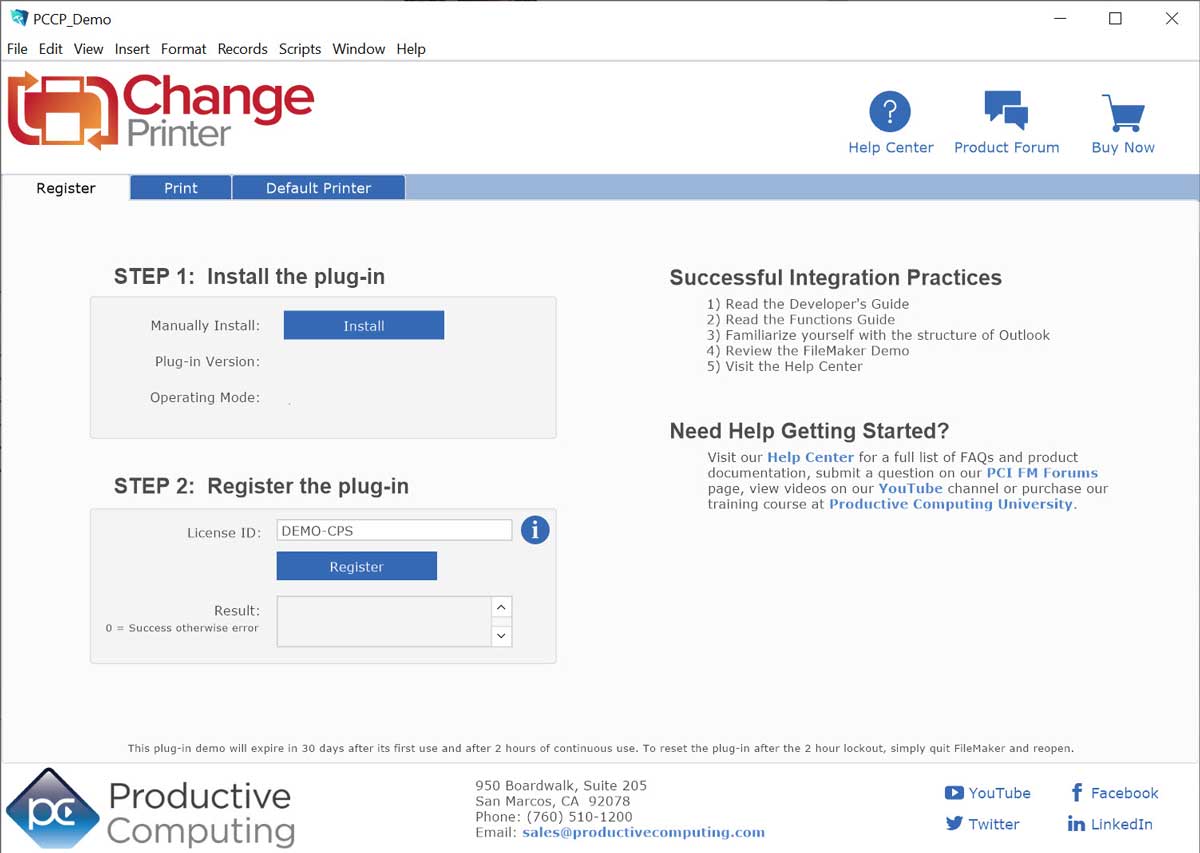
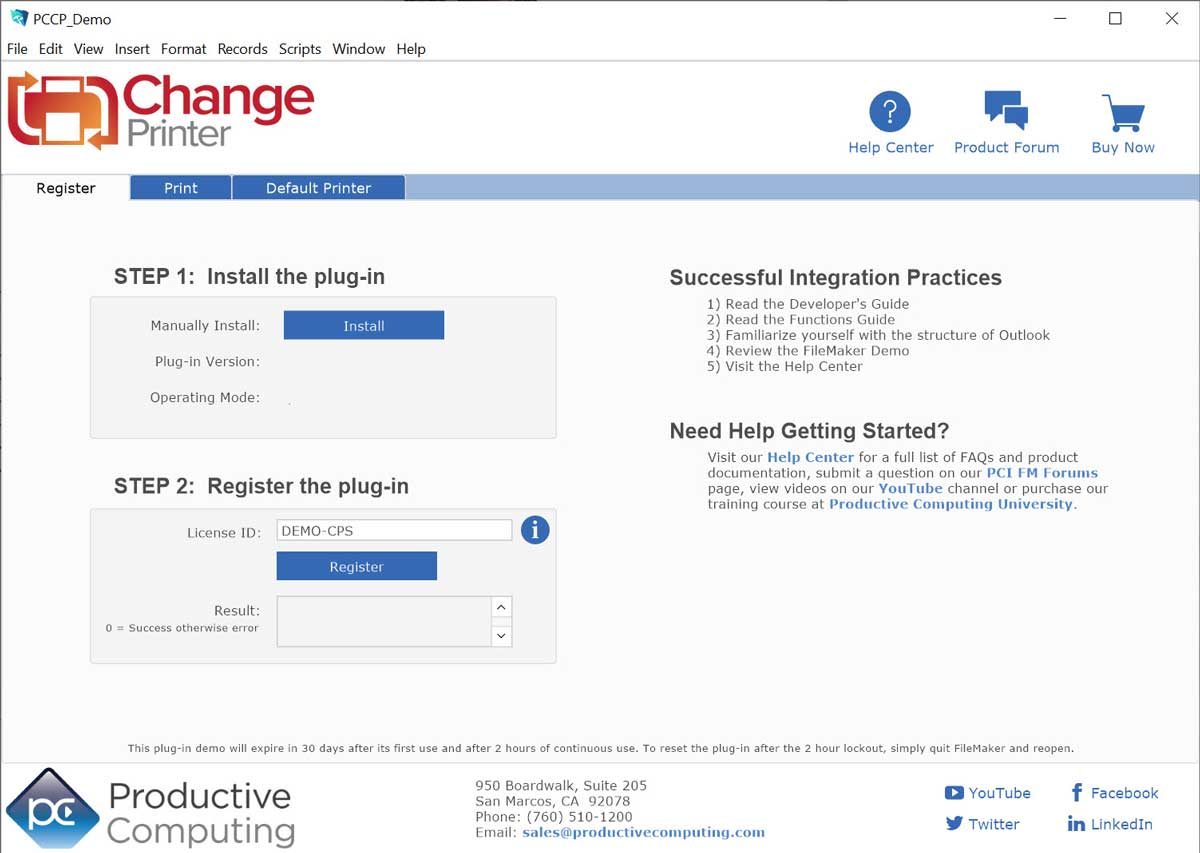


Change Printer
Win Version 5.0.1.2
Mac Version 5.0.3.1
Platform
Windows | Mac
Pricing Options
Please select your desired license option:
Use FileMaker to automatically change printers, set optional printing attributes, coordinate large and complex print procedures and switch between various types of printers/drivers such as: inkjet, laser, label, and PDF.
Key Features
Download our Plug-in Demo
Try our fully functional demo file for up to 30 days. Please note the demo will expire 2 hours from opening your FileMaker application. To reset the demo, close and reopen your FileMaker application.
Need help getting started?
Visit our Help Center for a full list of FAQs and product documentation, submit a question on our PCI FM Forums page, or view videos on our YouTube channel.
System Requirements
Application:
FileMaker Pro 2025 - 2026 for Windows
FileMaker Pro 2025 - 2026 for Mac
Platform:
Windows® 10/11 Enterprise and Pro Editions (64-bit only)
macOS 14 - 26
Mac version: Apple Silicon and Intel chipset compatible.
The plug-in may work with earlier versions of FileMaker or operating systems, however, these are no longer supported.
As of FileMaker 19, all plug-ins need to be 64-bit. If using older plug-ins or older versions of FileMaker, the plug-in bit version that you use depends upon the FileMaker Pro bit version you have installed. FileMaker and the plug-in need to be running in the same bit version.
Version History
- Version: 5.0.1.2 | Release Date: 06/10/2026 | Platform: Win
- This plug-in has been updated for compatibility with FileMaker Pro 2026
- Version: 5.0.3.1 | Release Date: 06/10/2026 | Platform: Mac
- This plug-in is verified compatible with FileMaker Pro 2026
- Version: 5.0.3.1 | Release Date: 11/17/2025| Platform: Mac
- This plug-in is verified as compatible with macOS 14 - 26
- Version: 5.0.1.2 | Release Date: 07/08/2025 | Platform: Win
- This plug-in has been updated for compatibility with FileMaker Pro 2025
- Version: 5.0.3.1 | Release Date: 07/08/2025 | Platform: Mac
- This plug-in is verified as compatible with FileMaker Pro 2025
- Version: 5.0.3.1 | Release Date: 09/26/2024 | Platform: Mac
- This plug-in has been updated for compatibility with macOS 13 - 15
- Version: 5.0.3.1 | Release Date: 09/03/2024 | Platform: Mac
- Updated to use the latest version of FileMaker 2024 plug-in SDK
- Updated demo file
- Updated handling for secure access to the Productive Computing plug-in registration server
- Version: 5.0.1.1 | Release Date: 08/23/2024 | Platform: Win
- Updated the code signing certificate for the Windows installer to ensure plug-in security
- Updated to use the latest version of FileMaker 2024 plug-in SDK
- Updated demo file
- Updated handling for secure access to the Productive Computing plug-in registration server
- Version: 5.0.3.0 | Release Date: 06/04/2024 | Platform: Mac
- This plug-in is verified as compatible with FileMaker Pro 2024
- Version: 5.0.1.0 | Release Date: 06/04/2024 | Platform: Win
- This plug-in has been updated for compatibility with FileMaker Pro 2024
- Version: 5.0.3.0 | Release Date: 10/05/2023 | Platform: Mac
- This plug-in has been updated for compatibility with macOS 10.15 - 14
- Updated digital signature and security settings to adhere to Apple Gatekeeper requirements
- Version: 5.0.2.2 | Release Date: 04/27/2023 | Platform: Mac
- This plug-in is verified as compatible with macOS FileMaker Pro
- Version: 5.0.0.6 | Release Date: 04/27/2023 | Platform: Win
- This plug-in has been updated for compatibility with FileMaker Pro 2023
- Version: 5.0.2.2 | Release Date: 10/25/2022 | Platform: Mac
- This plug-in has been updated for compatibility with macOS 10.15 - 13
- Version: 5.0.0.5 | Release Date: 09/27/2022 | Platform: Win
- This plug-in is verified compatible with Claris Pro
- Version: 5.0.2.2 | Release Date: 09/27/2022 | Platform: Mac
- This plug-in is verified compatible with Claris Pro
- Updated AppleScript process to resolve issues with some instances of macOS 11 (Big Sur) and macOS 12 (Monterey)
- Version: 5.0.2.1 | Release Date: 06/29/2022 | Platform: Mac
- Refined compatibility with Apple Silicon (M1 / ARM64) system architecture
- Improved stability and responsiveness by condensing and refactoring the printer-changing process to no longer require the embedded sub-applet
- Updated demo file and installer
- Version: 5.0.0.4 | Release Date: 06/29/2022 | Platform: Win
- Updated demo file and installer
- Version: 5.0.2.0 | Release Date: 10/28/2021 | Platform: Mac
- This plug-in is verified compatible with macOS 10.15 - 12
- Version: 5.0.0.4 | Release Date: 09/21/2021 | Platform: Win
- Updated the code signing certificate for the Windows installer to ensure plug-in security.
- Version: 5.0.2.0 | Release Date: 08/03/2021 | Platform: Mac
- Added support for Apple Silicon (M1 / ARM64) system architecture.
- Version: 5.0.1.0 | Release Date: 05/17/2021 | Platform: Mac
- Updated the code signing certificate for the Mac installer for compatibility with the Mac security layer.
- Version: 5.0.1.0 | Release Date: 1/27/2021 | Platform: Mac
- Updated Mac installation package to include Windows bug fix
- Updated Functions Guide
- Version: 5.0.0.3 | Release Date: 1/27/2021 | Platform: Win
- Resolved issue with printer not being found when using FileMaker 19.2 on Windows
- Updated Functions Guide
- Version: 5.0.1.0 | Release Date: 11/12/2020 | Platform: Mac
- This plug-in is verified compatible with macOS 10.14 - 11
- Version: 5.0.0.2 | Release Date: 5/20/2020 | Platform: Win
- This plug-in is verified compatible with FileMaker Pro 19 (64-bit) and FileMaker Pro (Advanced) 17 - 18 (32-bit & 64-bit)
- Miscellaneous improvements
- Updated Demo file
- Version: 5.0.0.4 | Release Date: 5/20/2020 | Platform: Mac
- This plug-in is verified compatible with FileMaker Pro (Advanced) 17 - 19
- Miscellaneous improvements
- Updated Demo file
- Version: 5.0.0.3 | Release Date: 10/7/2019 | Platform: Mac
- Updated demo file
-
This plug-in is verified compatible with macOS 10.13 - 10.15
- Version: 5.0.0.1 | Release Date: 10/7/2019 | Platform: Win
- Updated demo file
- Version: 5.0.0.1 | Release Date: 05/22/2019 | Platform: Win
- This plug-in is verified compatible with FileMaker Pro (Advanced) 16 - 18 (32-bit & 64-bit)
- This plug-in and its installer is now code-signed, introducing an extra level of security that ensures the plug-in package is not compromised in any way
- Version: 5.0.0.2 | Release Date: 05/22/2019 | Platform: Mac
- This plug-in is verified compatible with FileMaker Pro (Advanced) 16 - 18
- This plug-in and its installer is now code-signed, introducing an extra level of security that ensures the plug-in package is not compromised in any way
- Version: 5.0.0.1 | Release Date: 09/20/2018 | Platform: Mac
- This plug-in is verified compatible with Mac OS 10.12 - 10.14
- Update Demo file
- Miscellaneous bug fixes
- Version: 5.0.0.0 | Release Date: 05/15/2018 | Platform: Win
- This plug-in is confirmed compatible with FileMaker Pro 15 - 17 (32-bit and 64-bit)
- This plug-in is confirmed compatible with FileMaker Pro 15 - 17 (32-bit and 64-bit)
- Version: 5.0.0.0 | Release Date: 05/15/2018 | Platform: Mac
- This plug-in is confirmed compatible with FileMaker Pro 15 - 17 (64-bit)
- This plug-in is confirmed compatible with FileMaker Pro 15 - 17 (64-bit)
- Releases prior to v5.0.0.0 are considered legacy versions and are no longer supported.
- Version: 4.0.8.2 | Release Date: 03/21/2018 | Platform: Mac
- Adjusted Mac registration product code to be identical to the Windows version
- Version: 4.0.8.1 | Release Date: 09/25/2017 | Platform: Mac
- This plug-in is verified compatible with Mac OS 10.11- 10.13
- Updated demo file
- Version: 4.0.8.0 | Release Date: 05/09/2017 | Platform: Mac
- This plug-in is confirmed compatible with FileMaker 14 (32-bit and 64-bit) and FileMaker 15-16 (64-bit)
- Added FileMaker 16 script step functionality
- Updated Developer's Guide
- Created DMG installer package for installing the Mac plug-in
- This plug-in is confirmed compatible with FileMaker 14 (32-bit and 64-bit) and FileMaker 15-16 (64-bit)
- Version: 4.0.4.0 | Release Date: 05/09/2017 | Platform: Win
- This plug-in is confirmed compatible with FileMaker 14 - 16 (32 and 64 bit)
- Created MSI installer package for Windows plug-in
- Added FileMaker 16 script step functionality
- Updated Developer's Guide
- Version: 4.0.7.0 | Release Date: 10/13/2016 | Platform: Mac
- This plug-in is verified compatible with Mac OS 10.10 -10.12
- Version: 4.0.6.4 | Release Date: 05/10/2016 | Platform: Mac
- This plug-in is confirmed compatible with FileMaker® Pro 13-14 for Mac, 32-bit and FileMaker Pro 15 for Mac, 64-bit
- Confirmed compatibility with Mac OS X 10.11
- Version: 4.0.3.4 | Release Date: 05/10/2016 | Platform: Win
- This plug-in is confirmed compatible with FileMaker® Pro 13 - 15 for Windows, 32-bit and 64-bit
- Fixed an issue with Windows 10 that lost the tray setting when selecting a printer
- Version: 4.0.6.3 | Release Date: 04/04/2016 | Platform: Mac
- This plug-in is now verified compatible with Mac OS X 10.9 - 10.11, in 32- and 64- bit mode
- Resolved an issue in which FileMaker would crash when shutting down or disabling the plug-in on Mac OS X 10.9 and FileMaker Pro 14, 64-bit
- Update Demo user interface
- This plug-in is now verified compatible with Mac OS X 10.9 - 10.11, in 32- and 64- bit mode
- Version: 4.0.3.3 | Release Date: 04/04/2016 | Platform: Win
- This plug-in is now verified compatible with Windows 7, 8, and 10, in 32- and 64- bit mode
- Update Demo user interface
- Resolved issue in receiving a false error from PCCP_ChangePrinter on Windows 7 with FileMaker Pro 14
- Resolved issue in Windows 10 in which the selected printer was not updating properly in the printer dialog
- Version: 4.0.6.2 | Release Date: 01/19/2016 | Platform: Mac
-
This plug-in is verified compatible with Mac OS X 10.9 - 10.10 and may work with earlier versions
-
-
Version: 4.0.6.2 | Release Date: 07/31/2015 | Platform: Mac
-
FileMaker 14 32-bit and 64-bit compatible
- The plug-in will run in the bit mode you have selected to use for FileMaker Pro
- This plug-in is verified compatible with FileMaker® Pro 12-14 and Macintosh 10.7-10.10 and may work with earlier versions
- Deprecated demo files for FileMaker 11 or earlier
- Updated Developer's Guide
-
-
Version: 4.0.3.2 | Release Date: 07/31/2015 | Platform: Win
-
FileMaker 14 32-bit and 64-bit compatible
- The plug-in bit version that you use depends upon your FileMaker Pro bit version. FileMaker and the plug-in need to be running in the same bit version. Note: 32-bit applications and 32-bit plug-ins will work on a 64-bit operating system
- Resolved issue when working in German environment where FileMaker would crash upon calling PCCP_ChangePrinter
- Updated the "optRecSet" parameter to accept 0 for "Found" and 1 for "Current" to set printing for records being browsed ("Found", 0) or for the current record in the set ("Current", 1).
- This plug-in is verified compatible with FileMaker® Pro 12-14 and Windows® 7/8 and may work with earlier versions
- Deprecated demo files for FileMaker 11 or earlier
- Updated Developer's Guide
-
-
Version: 4.0.6.1 | Release Date: 03/12/2015 | Platform: Mac
-
Resolved an issue in the Change Printer sub-application in Yosemite where a wrong version of FileMaker will be selected when attempting to change the printer
-
-
Version: 4.0.6.0 | Release Date: 10/21/2014 | Platform: Mac
-
Added support for Mac Yosemite OS X 10.10
- Updated background process to be compatible with OSX Yosemite GUI print dialog.
-
-
Version: 4.0.3.1 | Release Date: 08/06/2014 | Platform: Win
-
The optRecordSet parameter has been enhanced to select the current record or found set for any of the supported language sets
- Expanded the optional parameters to support the French language print dialog interface
-
-
Version: 4.0.3.0 | Release Date: 12/31/2013 | Platform: Win
-
Added support for FileMaker Pro 13
- Added Dutch language support
- Fixed an issue with missing parameters
- Miscellaneous minor updates to demo file
-
-
Version: 4.0.5.0 | Release Date: 11/05/2013 | Platform: Mac
-
Added support for Mac OS X 10.9 Mavericks
- Added support for FileMaker Pro 13
- Miscellaneous minor updates to demo file
-
-
Version: 4.0.4.1 | Release Date: 09/17/2013 | Platform: Mac
-
Internal code updated to use FileMaker 12 SDK
- Updated PCCP_Register function
- Updated plug-in error handling
-
-
Version: 4.0.2.1 | Release Date: 09/17/2013 | Platform: Win
-
Internal code updated to use FileMaker 12 SDK
-
- Version: 4.0.4.0 | Release Date: 05/17/2013 | Platform: Mac
- Updated plug-in name consistency between Windows/Mac
- Added parameter for handling "current record" and "records being browsed"
- Updated optional parameters
- Updated scripts for handling blank parameters
- Updated code to increase plug-in speed
- Updated Developer's Guide
- Updated Functions Guide
- Updated plug-in name consistency between Windows/Mac
- Version: 4.0.2.0 | Release Date: 05/17/2013 | Platform: Win
- Updated plug-in name consistency between Windows/Mac
- Added support for Swedish language
- Added parameter for handling "current record" and "records being browsed"
- Updated optional parameters
- Updated scripts for handling blank parameters
- Updated code to increase plug-in speed
- Updated Developer's Guide
- Updated Functions Guide
- Updated plug-in name consistency between Windows/Mac
- Version: 4.0.1.4 | Release Date: 12/12/2012 | Platform: Win
- Registration System 2 Plug-in release
- Updated demo lockout from 30 minutes to 2 hours
- Updated Registration URL to "licensing2.productivecomputing.com"
- Updated Developer's Guide
- Updated Functions Guide
- Updated PCCP_ChangePrinter function
- Added support for German language
- Registration System 2 Plug-in release
- Version: 4.0.3.5 | Release Date: 10/02/2012 | Platform: Mac
- Updated compatibility with OSX 10.8
- Registration System 2 Plug-in release
- Updated demo lockout from 30 minutes to 2 hours
- Updated Registration URL to "licensing2.productivecomputing.com"
- Updated print dialogue
- Updated PCCP_ChangePrinter function
- Added 'Size' field
- Updated demos with optSize capability
- Updated compatibility with OSX 10.8
- Version: 4.0.0.4 | Release Date: 05/02/2012 | Platform: Win
- Updated path to registry.
- Updated path to registry.
- Version: 4.0.1.1 | Release Date: 10/13/2011 | Platform: Mac
- Add new splash screen to plug-in
- Updated registration process
- Version: 4.0.0.3 | Release Date: 10/13/2011 | Platform: Win
- Fix print issue where printer was not actually being printed to.
- Add new splash screen to plug-in.
- Updated registration process.
- Fix print issue where printer was not actually being printed to.
- Version: 4.0.1.0 | Release Date: 07/28/2011 | Platform: Mac
- Added support for OS X 10.7 Lion
- Lion compatibility removed support for 10.4 Tiger and 10.5 Leopard (special builds available for 10.4 or 10.5 by request)
- Added support for OS X 10.7 Lion
- Version: 4.0.0.1 | Release Date: 07/21/2011 | Platform: Mac and Win
- Enhanced error trapping method using the new PCCP_GetLastError( Type ) function. Most plug-in functions now return the !!ERROR!! string in the event of' an error or a 0 for a success. Immediately after an error occurs, please call the PCCP_GetLastError function to obtain a textual or numerical description of the error. If upgrading from the previous versions, please note that you will need to change your scripts to accommodate for the new method of error trapping.
- Added optCopies parameter to PCCP_Change Printer function. This parameter determines the number of copies the job will print and is available on both Mac and Windows platforms.
- Added optSource parameter to PCCP_Change Printer function. This parameter determines which source tray the paper will come from on the printer and is available on both Mac and Windows platforms.
- Added optOrientation parameter to PCCP_Change Printer function. This parameter determines the portrait or landscape orientation of the page that prints. This parameter is only available on Windows. On a Mac you can use the FileMaker "Print Setup" script step to select the orientation.
- Enabled the optPause parameter of the PCCP_ChangePrinter function to work on both Windows and Mac. This parameter allows the user to determine how long the print dialog will be displayed before the print job proceeds.
- New FileMaker Demo file to demonstrate new features.** This is a paid upgrade if upgrading from a previous version.**
- Enhanced error trapping method using the new PCCP_GetLastError( Type ) function. Most plug-in functions now return the !!ERROR!! string in the event of' an error or a 0 for a success. Immediately after an error occurs, please call the PCCP_GetLastError function to obtain a textual or numerical description of the error. If upgrading from the previous versions, please note that you will need to change your scripts to accommodate for the new method of error trapping.
- Version: 3.0.4.3 | Release Date: 06/11/2010 | Platform: Win
- Improved speed by almost half when calling PCCP_ChangePrinter function
- Multiple calls to PCCP_ChangePrinter function no longer causes massive delays
- Improved speed by almost half when calling PCCP_ChangePrinter function
- Version: 3.0.4.0 | Release Date: 03/10/2010 | Platform: Win
- Added support for FileMaker 11
- Added support for FileMaker 11
- Version: 3.0.3.8 | Release Date: 02/23/2010 | Platform: Win
- Corrected intermittent crash on load (Windows only).
- Changed PCCP_ChangePrinter function to error if successive calls are made without calling Print[] between calls.
- Modified window thread to run on load and use signaling to change the printer.
- Corrected intermittent crash on load (Windows only).
- Version: 3.0.3.7 | Release Date: 11/17/2009 | Platform: Win
- Added new logo to splash screen
- Added internal methods to automatically wait for list of printers to populate in Print Dialog before attempting to select the printer
- Added new logo to splash screen
- Version: 3.0.2.4 | Release Date: 11/04/2009 | Platform: Mac
- Fixed PCCP_GetOperatingMode to return EXPIRED
- Added new logo to splash screen
- Fixed PCCP_GetOperatingMode to return EXPIRED
- Version: 3.0.3.5 | Release Date: 09/01/2009 | Platform: Win
- Corrected issue where plug-in was not returning 0 for a success
- Corrected issue where plug-in was not returning 0 for a success
-
Version: 3.0.3.4 | Release Date: 08/21/2009 | Platform: Win
-
Corrected registration issue where the plug-in was expiring in 30 days for all users
-
- Version: 3.0.3.3 | Release Date: 05/19/2009 | Platform: Win- Added debugging to plug-in
- Changed thread time out from 3 to 20 seconds - Version: 3.0.2.3 | Release Date: 04/23/2009 | Platform: Mac
- Full support with FileMaker 10 on Tiger OS (10.4)
- Full support with FileMaker 10 on Tiger OS (10.4)
- Version: 3.0.2.2 | Release Date: 04/22/2009 | Platform: Mac
- Full support with FileMaker 10 on Leopard OS (10.5)
- Full support with FileMaker 10 on Leopard OS (10.5)
- Version: 3.0.3.1 | Release Date: 04/07/2009 | Platform: Win
- Added error capturing to plug-in
- Updated new documentation
- Added new logo to demo file
- Added error capturing to plug-in
- Version: 3.0.3.0 | Release Date: 01/29/2009 | Platform: Win
- Support with FileMaker 10
- Changed location of PCI registration file for support with FileMaker 10. PCI files are now stored in a subfolder of the local application data folder. Symbolic path is %APPDATA_LOCAL%/PCINC/productName/productVersion
- Updated Installation and Registration document
- Support with FileMaker 10
- Version: 3.0.2.4 | Release Date: 11/20/2008 | Platform: Win
- Changed demo expire to 30 days
- Changed demo expire to 30 days
- Version: 3.0.2.1 | Release Date: 09/22/2008 | Platform: Mac
- Demo extended to 30 days
- Demo extended to 30 days
- Version: 3.0.2.3 | Release Date: 08/22/2008 | Platform: Win
- Corrected return values of PCCP_ChangePrinter function
- Corrected return values of PCCP_ChangePrinter function
- Version: 3.0.2.2 | Release Date: 08/22/2008 | Platform: Win
- Added extra parameter that allows the Print dialog to be displayed for the desired number of Milliseconds
- Added extra parameter that allows the Print dialog to be displayed for the desired number of Milliseconds
- Version: 3.0.2.0b | Release Date: 05/14/2008 | Platform: Win and Mac
- Changed the demo to reflect licensing.productivecomputing.com instead of webserver.productivecomputing.com
- Changed the demo to reflect licensing.productivecomputing.com instead of webserver.productivecomputing.com
- Version: 3.0.2.0a | Release Date: 05/06/2008 | Platform: Win and Mac
- Changed the demo to reflect webserver.productivecomputing.com instead of www.filemakerconsulting.com
- Changed the demo to reflect webserver.productivecomputing.com instead of www.filemakerconsulting.com
- Version: 3.0.2.0 | Release Date: 12/12/2007 | Platform: Win
- Support for Changing printers for European languages
- Support for Changing printers for European languages
- Version: 3.0.2.0 | Release Date: 12/12/2007 | Platform: Mac
- Initial Release
- Initial Release
- Version: 3.0.0.0 | Release Date: 12/10/2007 | Platform: Mac
- Initial build for Mac
- Initial build for Mac
- Version: 3.0.0.0b | Release Date: 08/30/2007 | Platform: Win
- Updated QuickStart and Functions Guide
- Updated QuickStart and Functions Guide
- Version: 3.0.0.0 | Release Date: 08/17/2007 | Platform: Win
- Initial Release
Additional Information
Please Note:
This fully functional demo file is usable for 30 days. However, the demo will expire 2 hours from opening your FileMaker application. To reset please close and reopen your FileMaker application.
Integration Details:
Successful integration of FileMaker plug-ins requires the creation of integration scripts within your FileMaker solution. Intermediate to advanced experience with FileMaker Pro, especially in the areas of scripting and calculations is necessary to integrate this plug-in. After review of our overview videos, sample scripts and documentation you find you need assistance please contact us or fill out a Request For Quote.
Subscription Details:
That this is a SaaS product and customer credit cards will automatically be charged annually unless your subscription is canceled.