
Organize your Business in One Place
Using the power of the Claris FileMaker platform, we created the Core CRM Pro
to manage the essential aspects of
your company.
Integrate your CRM with QuickBooks
Quickly connect QuickBooks with your FileMaker CRM and save time and energy by eliminating double entry of contacts, vendors, and invoices.
Go Mobile with a FileMaker CRM
A flexible CRM that lets you connect to your FileMaker data using an iPad to easily update contacts, generate notes, and create invoices.
Core CRM Pro
A free, fully unlocked FileMaker CRM you can use as provided or customize for your own business needs.
Core CRM Pro includes pre-configured integration options for QuickBooks Desktop and Online, Outlook, Google, and Twilio.

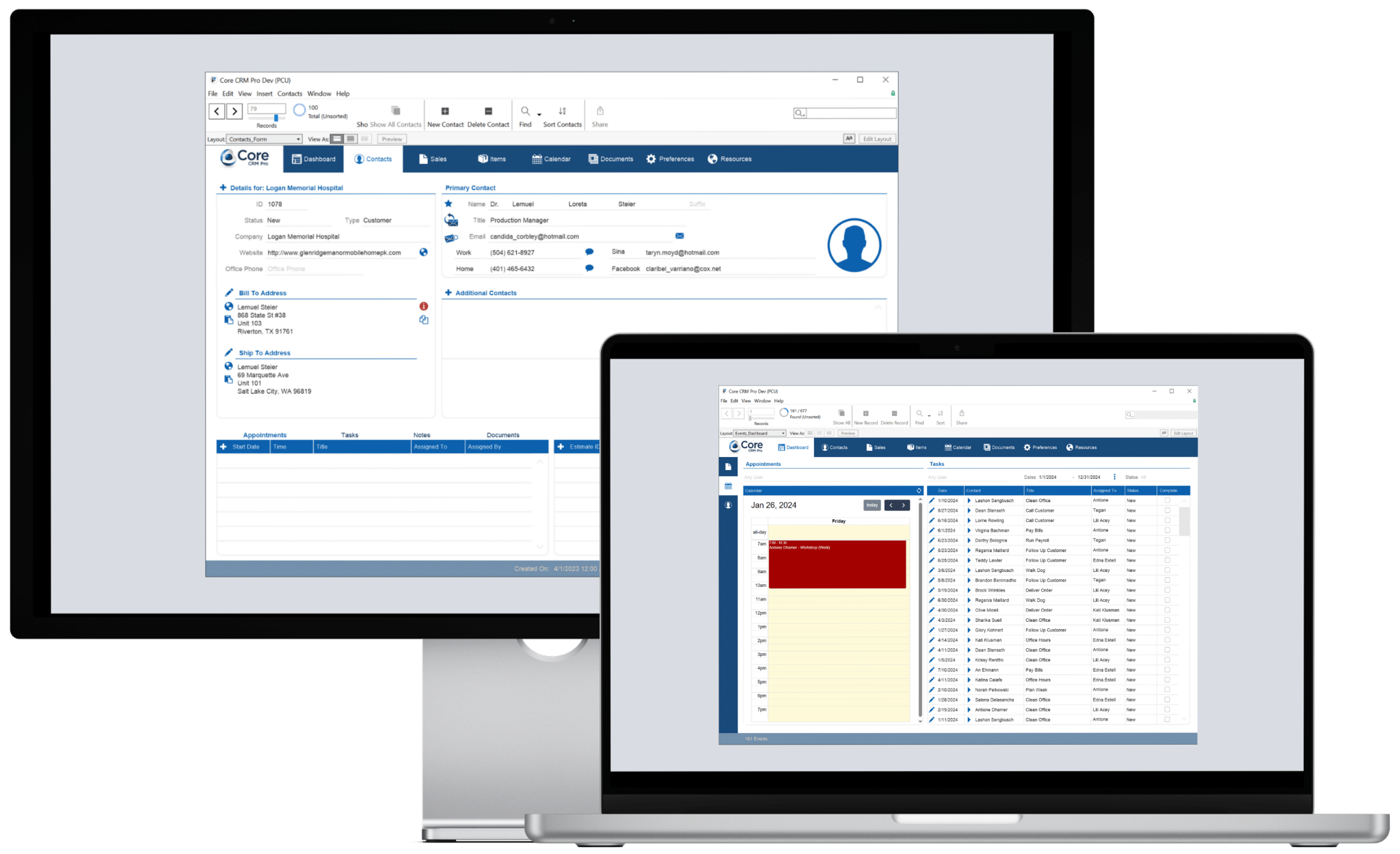
Easy to use, easy to customize.
Core CRM Pro is a free, fully unlocked CRM built on the Claris FileMaker Platform. It gives you a practical starting point for managing contacts, sales and invoices, inventory, calendar events, tasks, documents, and other important business information in one place.
You can use Core CRM Pro as provided or customize it to fit your own processes and business needs. Because the FileMaker file is fully unlocked, you can modify layouts, fields, scripts, and automation yourself or work with Productive Computing to tailor the CRM for your business.
Core CRM Pro includes pre-configured integrations for QuickBooks Desktop and QuickBooks Online, Microsoft Outlook, Google, and Twilio, giving you flexible ways to exchange information between FileMaker and the business applications you already use.
Contacts
Organize customers, leads & vendors
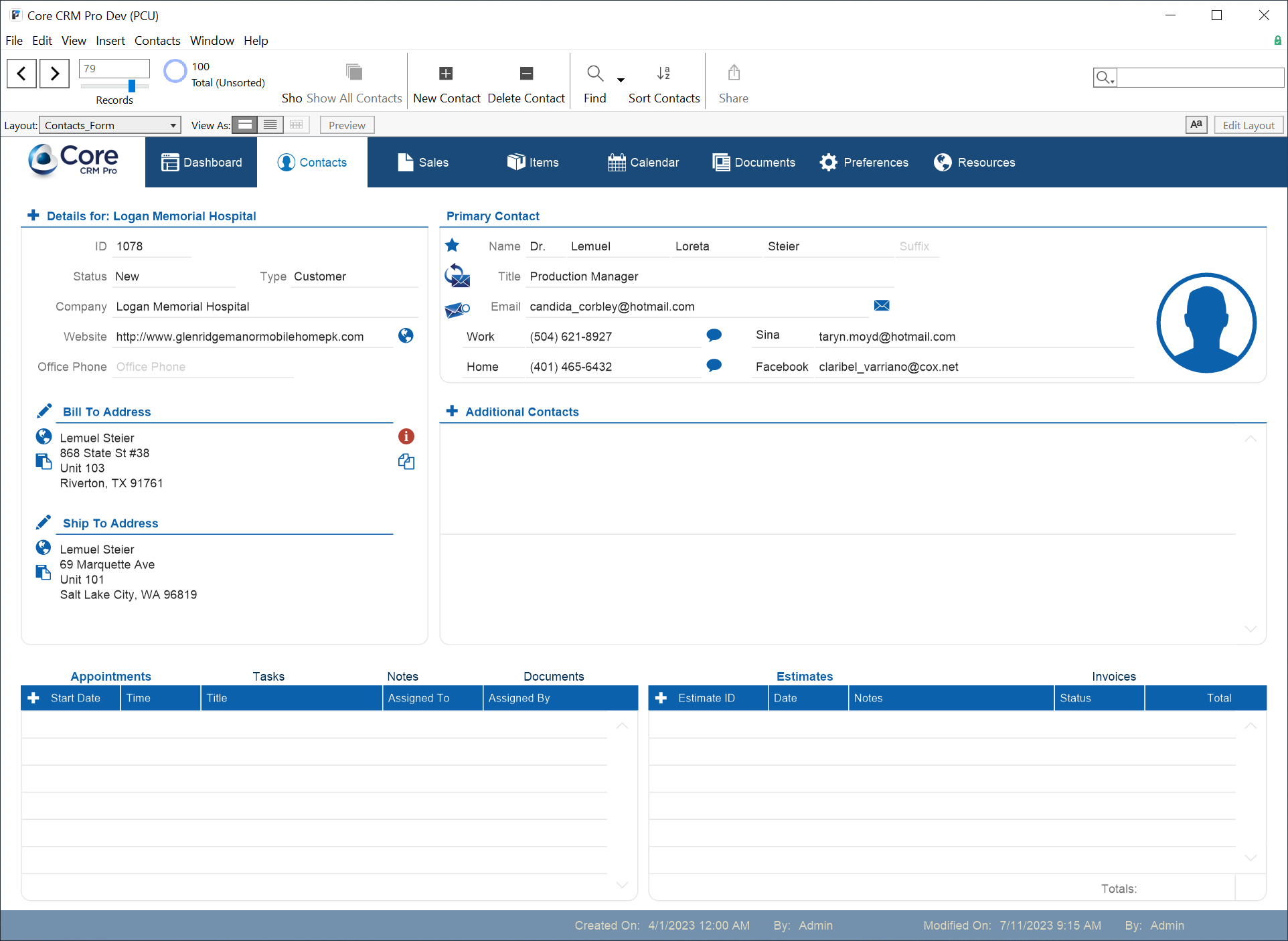
The Core CRM Pro Contacts module allows you to maintain all your contact information for leads, customers, and vendors. Users can track related notes, create appointments and tasks, add or view documents, and link your customer’s estimates, and invoices.
Sales
Manage sales with estimates & invoices
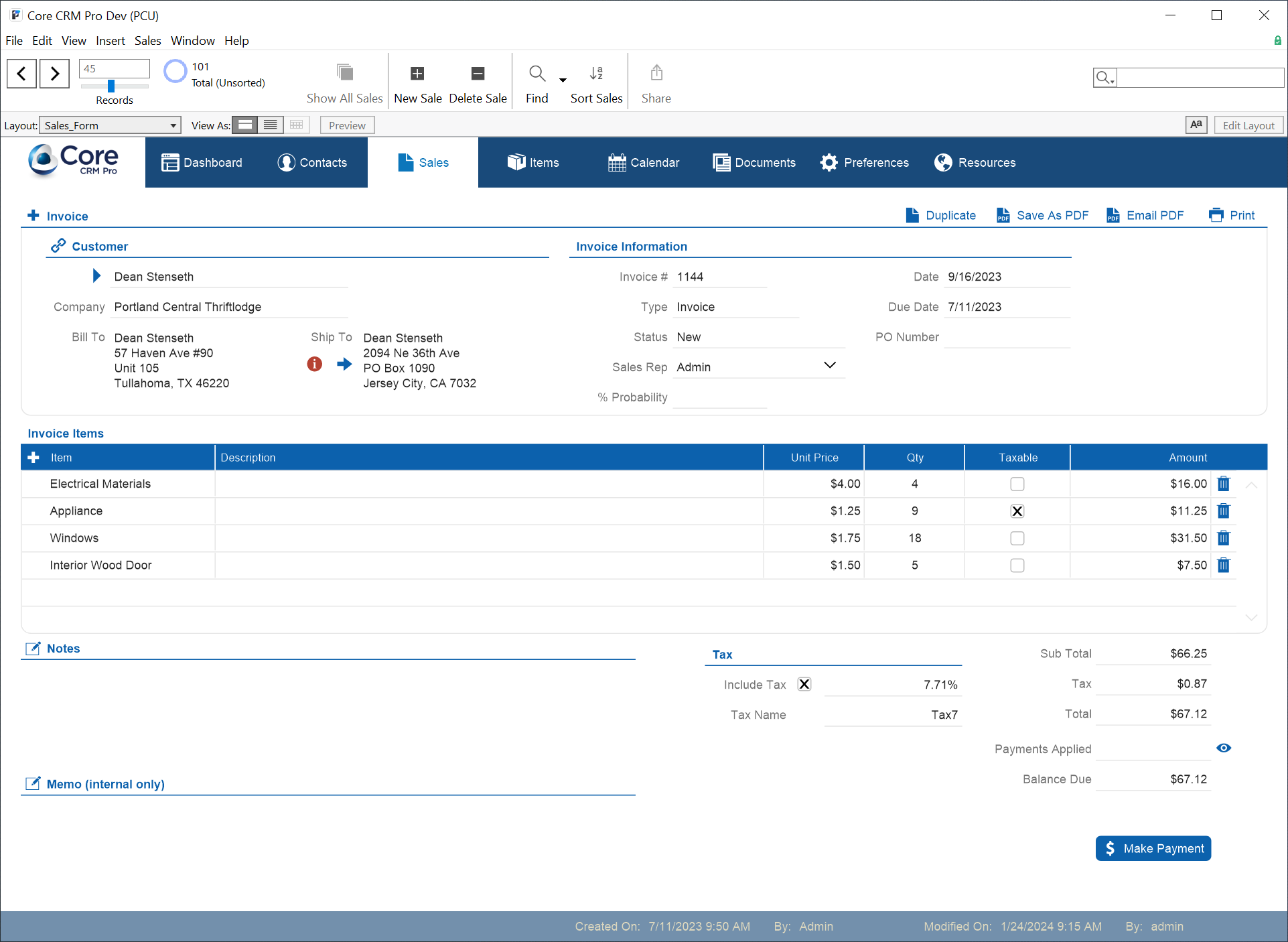
The Core CRM Pro provides one central location for your invoicing needs. Quickly create estimates and invoices for your contacts and track the progress of sales as deals develop and easily link them to your customers. Generate PDF documents for each invoice and email with the click of a button. With QuickBooks integration, your accounting staff can easily push invoices to QuickBooks and pull payment information into FileMaker.
Documents
Simplify & centralize your document storage
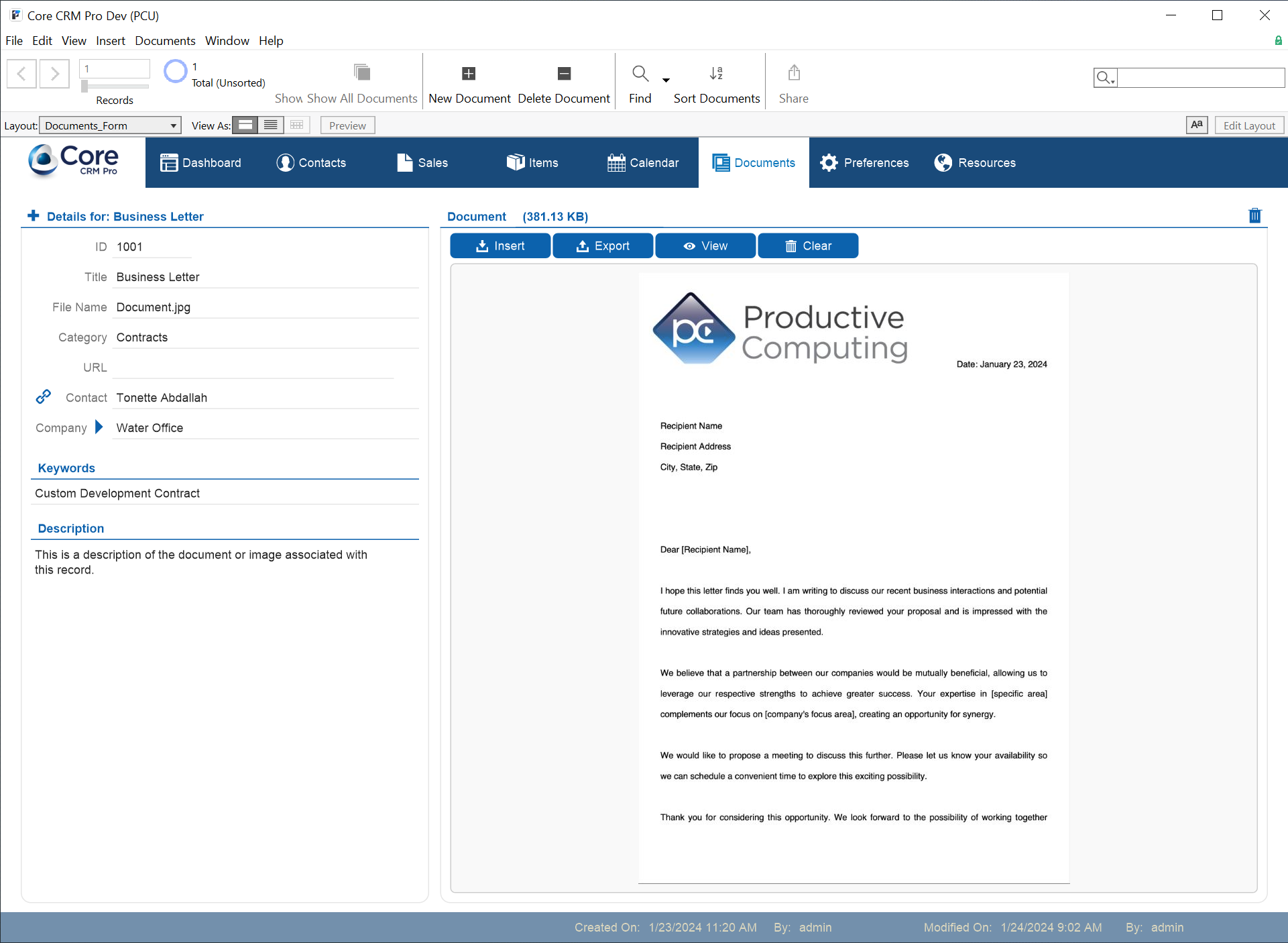
Using the innate security built into FileMaker, the Core CRM Pro provides you with reliable document storage. Your team can easily access the data and information they need. You can link documents, images, PDFs and more to your contacts and easily search with the use of tags, keywords, and descriptions.
Calendar & Events
Create appointments & track tasks for your team
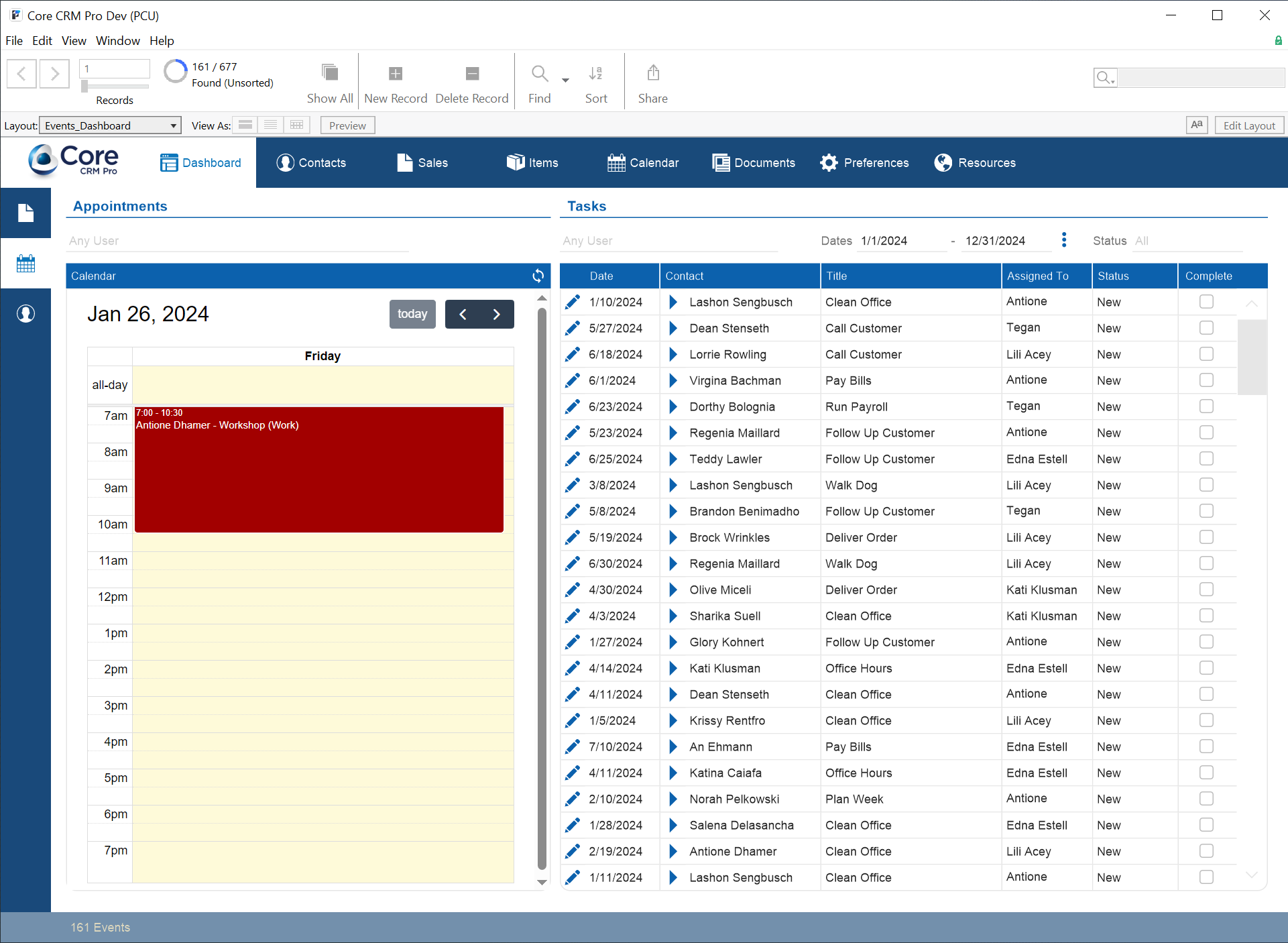
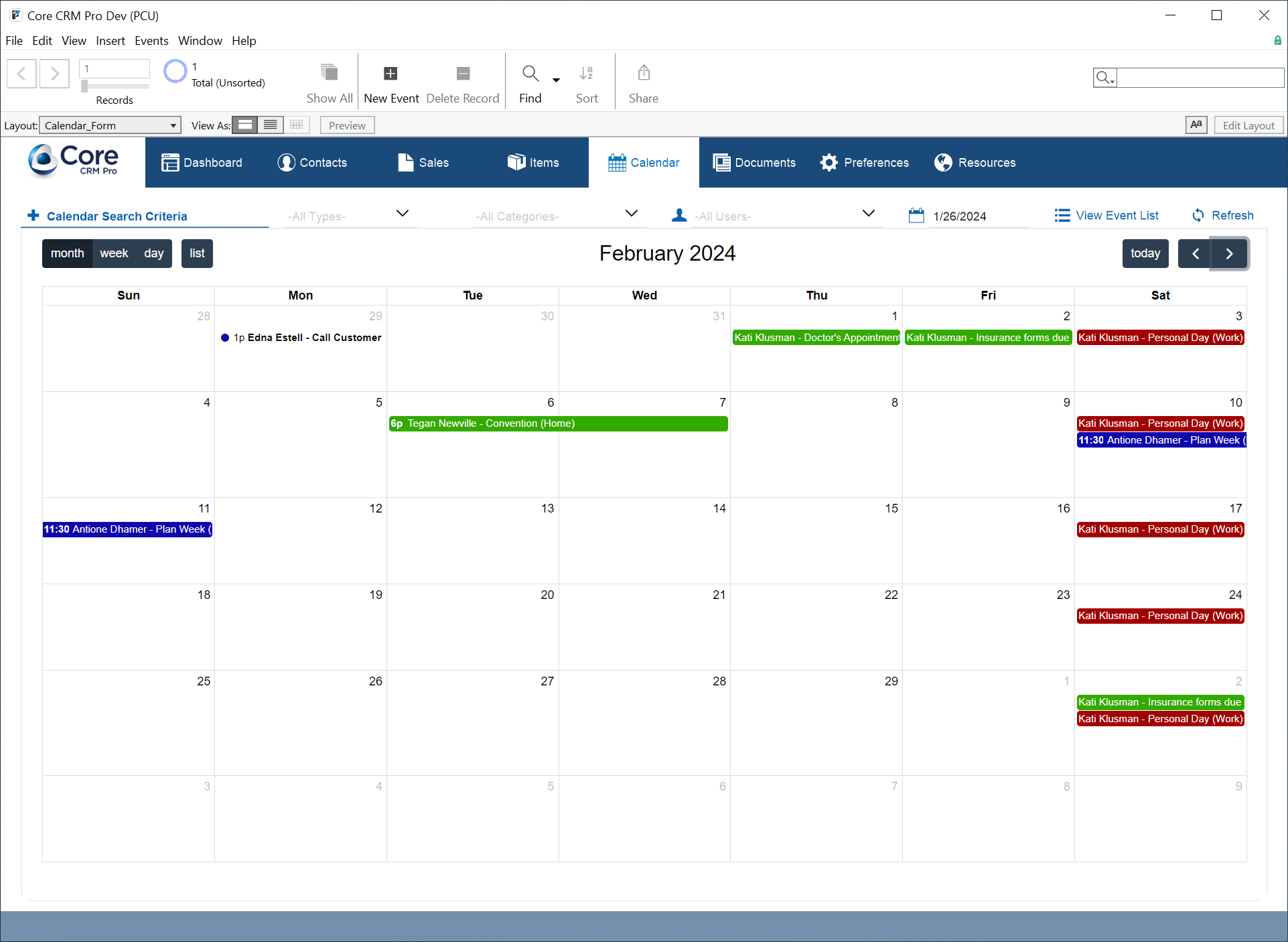
With the Core CRM Pro's robust calendar, you can create appointments, keep track of assigned tasks, and link everything back to a contact. Quickly look at the events for a single day, week or month with multiple calendar view options. Easily set filters to view events for a specific team member or the entire team.
Dashboard
Manage your Contacts, Sales & Events
Use the Dashboard to analyze various lists, graphs, and charts on contacts and sales. See an overview of your team’s appointments, tasks, and all sales transactions. If you are connected to QuickBooks, your team can use the Dashboard to perform batch pushes of contacts and invoices to your QuickBooks company file.
Connect Core CRM Pro to the tools your team already uses
Core CRM Pro includes pre-configured integration options that allow you to move data between your CRM and key business systems. These connections help reduce duplicate entry, improve visibility, and keep your team working with consistent information.*
- QuickBooks – Transfer customer, vendor, and invoice data to QuickBooks Desktop or QuickBooks Online.
- Outlook – Push contacts and calendar events to Microsoft Outlook for scheduling and contact management.
- Google – Push contacts and calendar events to Google Contacts and Google Calendar.
- Twilio – Send text messages directly from Core CRM Pro using your Twilio account.
Each integration is designed to give you control over when and how data moves between systems, while keeping Core CRM Pro as your central workspace.
*Core CRM Pro integrations use dedicated FileMaker plug-ins or third-party services. The Productive Computing plug-ins offer a 30-day trial so you can explore the integration with your own data before making a purchase. Twilio texting uses your own Twilio account and is billed directly by Twilio.
QuickBooks Desktop & QuickBooks Online
Keep your QuickBooks company file up to date
The Core CRM Pro is pre-configured for integration with the option to connect to Intuit's® QuickBooks Desktop or QuickBooks Online accounting software. This eliminates duplicate data entry between FileMaker and QuickBooks and gives your team centralized knowledge about customers, invoices, and balances.
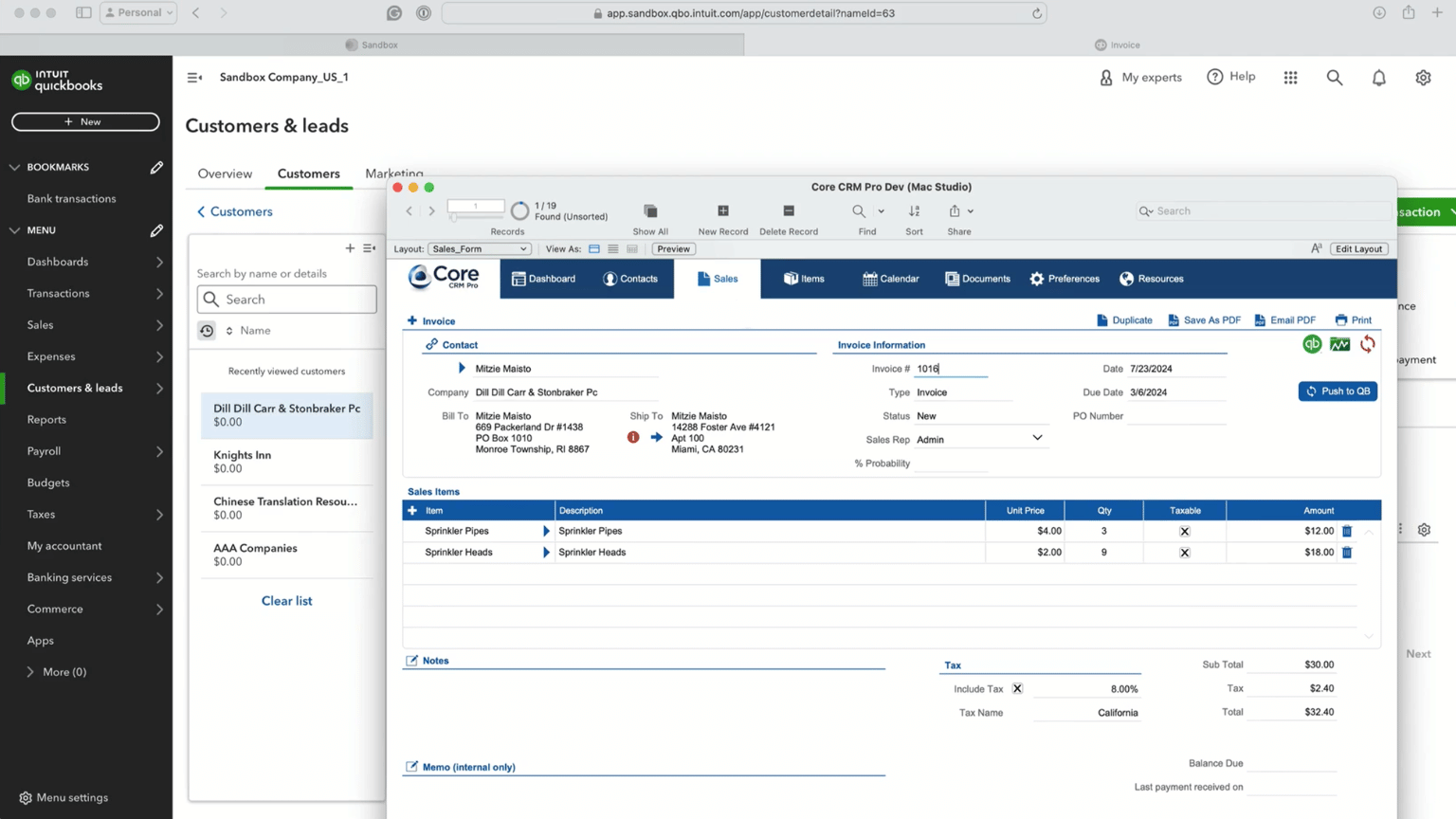
QuickBooks integration requires the purchase of the applicable FileMaker plug-in FM Books Connector (for QuickBooks Desktop) or FM Books Connector Online (for QuickBooks Online ). QuickBooks software is licensed separately.
Microsoft Outlook
Connect contacts and calendar with Outlook
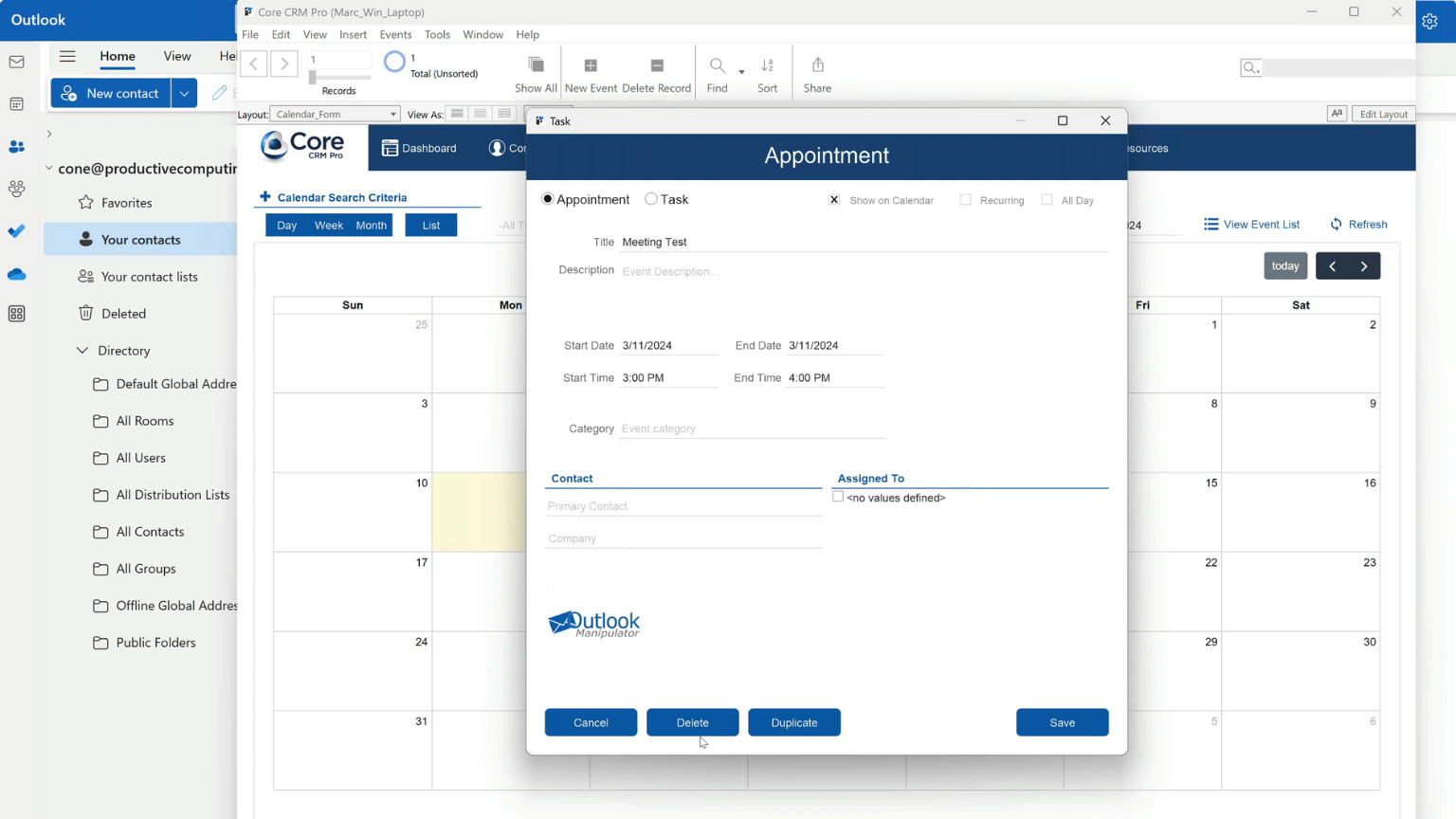
Connect Core CRM Pro with Microsoft Outlook using the Outlook Manipulator plug-in to push and pull contact and calendar event data. Core CRM Pro remains your system of record while Outlook reflects the latest changes you approve.
Choose from classic Outlook for Windows, direct Microsoft 365 access through Outlook Manipulator Remote, or server-side deployment with FileMaker Server.
Outlook integration requires the purchase of the Outlook Manipulator plug-in. Microsoft Outlook is licensed separately.
Google Contacts & Calendar
Connect contacts and calendar with Google
Connect Core CRM Pro with your Google account using gManipulator to push contacts and calendar events from your CRM to Google. You select which Google calendars and contact lists are used, and every transaction is tracked in the CRM with timestamps and user details for accountability.
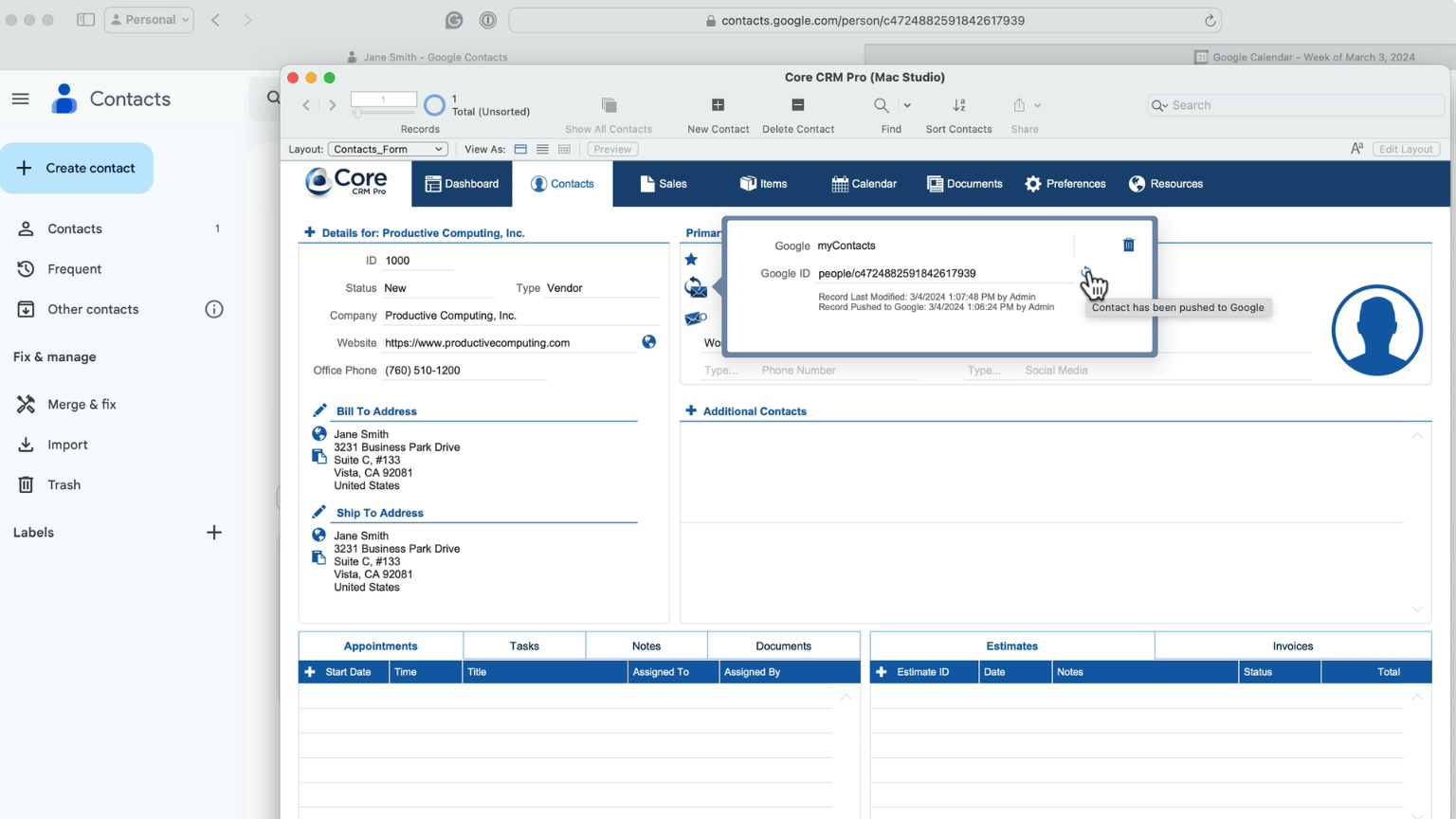
The gManipulator plug-in is required for Google integration and is sold separately. Google services are licensed independently.
Texting with Twilio
Send SMS messages directly from Core CRM Pro
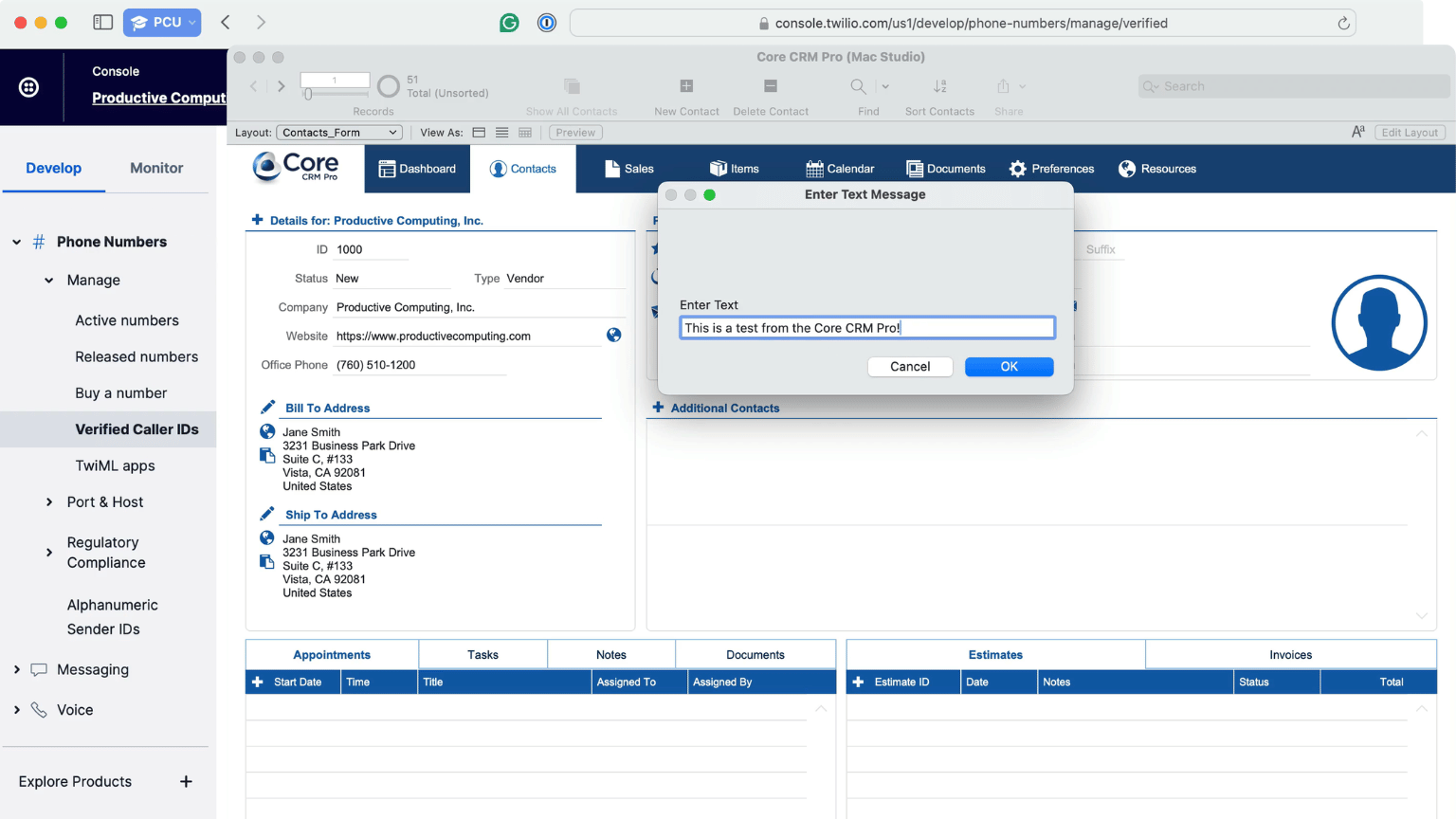
Connect Core CRM Pro to your Twilio account to send SMS messages directly from your CRM using your own Twilio phone number. All message delivery is handled through your Twilio account and API credentials.
Twilio services are provided and licensed by Twilio. Message delivery, usage, and carrier rules are managed by Twilio.
.
Free Online Training Course for Core CRM Pro
Learn how to use and customize Core CRM Pro with step-by-step training from Productive Computing University. The free course covers everyday use, advanced features, and setup for QuickBooks, Outlook, Google, and Twilio integrations. Enrollment also gives you access to the fully unlocked Core CRM Pro FileMaker file.
- Learn how to use Core CRM Pro for contacts, sales and invoices, documents, calendar events, tasks, inventory, and more
- Customize the fully unlocked FileMaker file for your own processes and business needs
- Configure and use the available QuickBooks, Outlook, Google, and Twilio integrations
- Explore the layouts, scripts, and relationships to see how Core CRM Pro is built
A streamlined FileMaker CRM designed for everyday operations
Start with a proven CRM structure that you can adapt to your needs. Core CRM Pro offers you a ready-to-use FileMaker app that is scalable, customizable, and built for real-world workflows. Use it out of the box or extend the functionality with integrations and automation.
Get the Free Core CRM Pro File
Core CRM Pro is available through the free course at Productive Computing University. Enroll in the course to download the fully unlocked FileMaker CRM file and access the step-by-step training.
Core CRM Pro
- Fully unlocked FileMaker CRM file
- Unlimited users
- Customizable to fit your processes and business needs, whether you customize the file yourself or work with Productive Computing
- Free course available to help you use and customize Core CRM Pro
- iPad-ready layouts included*
- FileMaker Pro licenses available (sold separately)
- Hosting available (sold separately)
*Mobile access on the free template file requires the Core CRM Pro to be hosted. Hosting services and FileMaker platform licenses are available for purchase separately.
Core CRM Pro FAQs
Learn more about FileMaker CRMs
If your business runs on a customer relationship management system—one that focuses on the customer and creating specified marketing and sales strategies for each customer—you have a wide range of … Read More
Streamlining business operations through automation is a smart move for businesses of all sizes. Business automation has been proven to produce a number of benefits for all different types of … Read More
System Requirements
FileMaker® Pro 2025 and above
FileMaker Go 2025 and above
Windows® 11 (Pro or Enterprise Edition 64-bit only)
Mac OS 15 - 27
If you are integrating Core CRM Pro the following plug-ins - purchasing details can be found here:
- FM Books Connector – connect to QuickBooks Desktop
- FM Books Connector Online – connect to QuickBooks Online (locally or server-side)
- gManipulator – connect to Google
- Outlook Manipulator – connect to Microsoft Outlook (locally or server-side)
Contact us if you have questions about using plug-ins with Core CRM Pro.
Version History
Version: 2.0.4.0 | Release Date: 08/21/2026 | Platform: Win and Mac
- Outlook server-side integration: updated scripts to work with Outlook Manipulator server-side plug-in. Implemented client-less authentication process. Removed Exchange Manipulator server-side scripts.
- QuickBooks Online server-side integration: implemented client-less authentication process.
- QuickBooks Online integration: added Invoice Link feature to Sales/Invoice process.
- QuickBooks Online integration: added ability to end the session with a button "End Session" that is visible only when the session has been started.
- Sales/Invoices: resolved issue where adding an additional items to an Sales record would reference the first line item.
- Dashboard: updates to schema and date range options for portal filters.
- Calendar: Updated the "Refresh Calendar Data" process to ensure the default date range +/- is set to 90 days (90 days ahead, 90 days behind).
- Miscellaneous layout and functionality improvements.
Version: 2.0.3.4 | Release Date: 11/14/2024 | Platform: Win and Mac
- Update default opening and navigation scripts to install the "Standard FileMaker Menus" set.
Version: 2.0.3.3 | Release Date: 04/02/2024 | Platform: Win and Mac
- Miscellaneous updates
- Remove FileMaker 19 warning message
- Remove additional extended privilege items from the Full Access privilege set to avoid warnings if FileMaker is opened in non-sharing/peer-to-peer mode.
Version: 2.0.3.2 | Release Date: 03/21/2024 | Platform: Win and Mac
- Resolved miscellaneous issues related to integration with Outlook and Exchange.
- Resolved miscellaneous layout and spacing issues on the iPad layouts.
Version: 2.0.2.0 | Release Date: 03/01/2024 | Platform: Win and Mac
- Added Exchange Manipulator integration for pushing contacts and pushing a calendar event to Microsoft Exchange.
Version: 2.0.0.0 | Release Date: 02/02/2024 | Platform: Win and Mac
- A new free Core CRM Pro template is available as an unlocked file.
- Updated layouts throughout Core CRM Pro: Dashboard, Contacts, Sales, Documents, and Calendar.
- Updated QuickBooks Desktop and QuickBooks Online integration scripts.
- Improved handling of additional contacts.
- Miscellaneous updates to the Dashboard functionality, menus, and lists.
- Added Outlook Manipulator integration for pushing contacts and pushing a calendar event to Microsoft Outlook.
- Added gManipulator integration for pushing contacts and pushing a calendar event to Google.
- Added Twilio API integration for sending SMS text messages.
- Added the ability to create sample data.
- Increased the size of the desktop layouts.
- Improved Preferences and Resources tabs for handling plug-in and API integration.
- Compatible with FileMaker Pro 19.6 or above. Please note that some concepts and technologies (bonus features) discussed in our online course require FileMaker Pro 2023 or above.
Version: 1.0.0.2 | Release Date: 09/30/2020 | Platform: Win and Mac
- Compatible with FileMaker 19 - FileMaker Pro Advanced, FileMaker Server 19, FileMaker Go 19, and FileMaker WebDirect.
- Added feature to preserve magnification level when exiting out of the Core CRM Pro
- Updated the User Preferences to allow the system to store additional preference settings
- Added support for choosing multiple Personnel users when creating or editing a Calendar Event
- Added sortable columns to the Items, Calendar, and Documents list views
- Updated process for importing and exporting contacts
- Updated to the Dashboard layout
- Updated Calendar to use FM 19 JavaScript functionality
- Added an open script to confirm compatibility with FileMaker 19
Version: 1.0.0.1 | Release Date: 12/19/2019 | Platform: Win and Mac
- Updated scripts when working with the FM Books Connector Online plug-in for integration with QuickBooks Online
Version: 1.0.0.0 | Release Date: 07/23/2019 | Platform: Win and Mac
- Initial release
- Compatible with FileMaker 18 - FileMaker Pro Advanced, FileMaker Server 18, FileMaker Go 18, and FileMaker WebDirect.
- Compatible with Windows 8/10
- Compatible with Mac OS 10.13 - 10.14
Additional Information
Core CRM Pro Support
Productive Computing’s support staff works Monday through Friday, from 8:00 AM to 5:00 PM (Pacific Time) and are available during these hours to address questions and issues. Occasionally, you may need to leave a message and we'll accommodate your request the same business day or by the next business day.
QuickBooks Desktop or QuickBooks Online Integration
If you would like to integrate the Core CRM Pro with your QuickBooks file, we recommend you designate one person to be responsible for updating QuickBooks.
This should be the person with access to your QuickBooks file and assigned to push contacts and invoices to QuickBooks and pull balances.
For QuickBooks Desktop integration, the user will need the FM Books Connector plug-in and QuickBooks installed on a Windows machine. If your office is running Macintosh machines, QuickBooks Desktop integration will require one instance of Windows and QuickBooks Desktop for Windows.
For QuickBooks Online integration, the user will need the FM Books Connector Online plug-in. You can deploy the plug-in locally on a supported Windows or Mac computer or run it server-side with FileMaker Server.
If you need any clarification, please contact us at sales@productivecomputing.com.